An AI outfit editor lets you change or generate full outfits on a personal photo in seconds, ideal for styling, cosplay, and social or professional photos. These tools shine at creating a believable look fast, though they're less reliable for exact fit, and any photo you upload deserves a quick privacy check first. For wardrobe-based results you can actually wear, a freemium tool or an app like MyTenue is worth trying.
TL;DR:
- Most AI outfit editors are better for visual styling than precise fit, especially on complex poses or uneven lighting.
- Features like garment upload and avatar creation improve consistency, but layered clothing and fabric draping often confound the models.
- Privacy concerns require checking data policies, with a focus on transparency, retention policies, and training opt-outs before uploading photos.
- A wardrobe-based approach, like MyTenue, digitizes your actual clothes for sustainable, personalized outfit planning and virtual try-on.
- Optimal results come from clear, front-facing photos, specific prompts, and running multiple variations to ensure consistency and relevance.
Table of Contents
- How these tools generate or swap outfits on a photo
- Step-by-step: how to edit or generate outfits on your photo
- Common features and realistic limitations
- Privacy checklist: CNIL and GDPR basics for users uploading photos
- Practical tips and creative use cases
- Why try MyTenue for wardrobe-first outfit editing
- What matters more than a flashy outfit edit
- Try MyTenue as your AI stylist
- FAQ
- Sources
How these tools generate or swap outfits on a photo
Most AI outfit editors use one of two approaches. The first is text-driven generative editing: you describe a look in words, and a diffusion model repaints your photo to match. The second is garment-overlay or mask-based virtual try-on (VTO), where the tool detects your body shape, builds a mask, and fits a specific garment image onto it.
Behind the scenes, these systems rely on diffusion models and adapter techniques trained on large image sets to predict how fabric drapes, folds, and catches light. Some tools build a simplified avatar from your photo first, then dress that avatar instead of editing the original image directly.
Results vary a lot from one photo to the next, and from one tool to the next:
- Pose and angle: Complex poses confuse garment placement more than a simple front-facing shot.
- Lighting: Uneven or harsh lighting makes blending between skin, hair, and new clothing harder.
- Training data: A model trained mostly on certain body types or garment styles will struggle outside that range.
The biggest distinction to keep in mind: these tools are built for styling, a convincing visual of how a look might work, not for guaranteeing accurate size or fit. A 2025 study on a size-controllable virtual try-on system found that letting users adjust size interactively meaningfully improved their ability to judge fit and boosted confidence in their choices, which suggests that fit accuracy is still an added feature, not a given.
Step-by-step: how to edit or generate outfits on your photo
Most online editors and apps follow a similar flow, whether you're building a cosplay transformation or a quick LinkedIn photo.
- Prepare your photo: Use a plain background, a front-facing or three-quarter pose, and a high-resolution JPEG or PNG. Avoid heavy shadows or busy patterns behind you.
- Pick your method: Type a text prompt describing the outfit, choose a style preset, or upload a photo of a specific garment you want to try on.
- Tune the details: Adjust fit, color, sleeve or hem length, and how the lighting and background blend with the new clothing.
- Export carefully: Check the output resolution, whether a watermark is applied on the free tier, the platform's terms of use, and where your result (and original photo) gets stored.
Our own step-by-step guide to AI outfit curation walks through a similar workflow in more detail, including how to get cleaner results from wardrobe-based editing.
Common features and realistic limitations
Before picking a tool, match its feature set to what you actually need.
Features worth checking for:
- Prompt-based generation: Describe a vibe or occasion in plain language.
- Garment upload: Try a specific piece instead of a generic style.
- Avatar creation: Build a reusable model of yourself for repeated edits.
- Batch exports and edit history: Useful for comparing several variations quickly.
Limitations show up fast once you push a tool past simple cases. Drape and fit on loose or structured fabrics often look off, complex poses introduce visible artifacts around hands and joints, colors can bleed between garment and skin tone, and layered clothing (a jacket over a shirt, for instance) frequently confuses the model entirely.
What matters depends on your goal. Cosplay work needs strong style transfer and texture detail more than fit precision. Professional headshots need clean blending and subtle, realistic lighting. Styling content for social media benefits most from fast batch generation and variety.
Pro Tip: Before committing to a tool, run the same photo through it twice with a small prompt change. If the two outputs look wildly inconsistent, the model is unreliable for your use case.
Privacy checklist: CNIL and GDPR basics for users uploading photos
Uploading a personal photo to any AI tool means handing over biometric-adjacent data, so it's worth a quick check before you do.
The CNIL's recommendations on AI and GDPR call for transparency whenever personal data, including photos, might be used to train an AI model, along with data minimization: a tool should only collect what it genuinely needs. You retain GDPR rights to access, rectify, or erase your data, though exercising erasure against a model that has already learned from your image can be technically difficult. Separate CNIL guidance for AI system developers reinforces this with requirements around data protection impact assessments and purpose limitation.

CNIL guidance states that individuals must be informed when their photos may be used for AI training, and that data minimization should apply throughout. That one principle, informed consent plus minimal data collection, is the quickest filter for judging whether a tool takes your privacy seriously.
Before uploading, check:
- Retention policy: How long is your photo kept, and can you request deletion?
- Training opt-out: Does the tool let you decline having your image used to improve its models?
- Anonymization claims: Are these backed by a clear explanation, or just a vague promise?
When a tool's policies are unclear, an avatar or model-based preview is a safer starting point than uploading your own face.
Practical tips and creative use cases
AI outfit editors cover more ground than most people expect on first try.
Common use cases include social content creation, full cosplay transformations, polished LinkedIn or professional photos, and editorial flat-lay images for a portfolio or shop listing. Each benefits from slightly different handling.
For sharper results:
- Keep lighting even and the background plain, especially for full-outfit edits where footwear needs to read clearly.
- Describe fabric and fit specifically in prompts: "fitted wool blazer" works better than "nice jacket."
- Reference a real image when you have one, rather than relying on text alone.
- Generate several variations at once and compare them side by side instead of accepting the first result.
Pro Tip: Combine AI-generated looks with pieces you already own by checking the edit against your real wardrobe before you buy anything new; it catches mismatches a screen can hide.
Our guide on digitizing 8 to 12 closet pieces explains why starting from a real, documented wardrobe tends to produce more wearable AI suggestions than generating looks from scratch every time.
Why try MyTenue for wardrobe-first outfit editing
We built MyTenue around a different starting point: your actual closet, not a blank slate. Our AI stylist digitizes what you already own, then generates outfit combinations, weather-adapted daily suggestions, and high-quality virtual try-on previews based on real pieces instead of generic presets.
- Wardrobe digitization: Photograph your clothes once, and we organize them for repeated use.
- Outfit generation and calendar planning: We suggest looks ahead of time, tied to occasion and weather.
- Virtual try-on and flat-lay creation: We preview how combinations look before you commit.
A wardrobe-first approach also supports more sustainable choices, since it nudges you toward mixing what you have before suggesting anything new. For more on how we score and analyze looks, our piece on AI wardrobe analysis breaks down the mechanics. Explore the MyTenue app to see it on your own closet.
What matters more than a flashy outfit edit
The conventional advice around AI outfit editors focuses almost entirely on realism: better fabric rendering, fewer artifacts, sharper blending. That's useful, but it misses the bigger issue. Most people don't need a perfect render, they need a faster way to decide what to actually wear or buy. A slightly imperfect visual that helps you rule out three bad combinations is more valuable than a flawless image of an outfit you will never own.

The second thing underrated here is privacy fatigue. People upload face photos to app after app without checking retention or training policies, mostly because reading them feels tedious. That's backward: a thirty-second check of a tool's data policy matters more than its output quality, because a bad photo edit is forgettable, but a photo used to train a model without your knowledge isn't something you can take back.
If you take one thing from all this, prioritize tools that work from your real wardrobe and are upfront about data handling. Everything else, prompt tricks, style presets, is secondary.
— Ahmed
Try MyTenue as your AI stylist
We think the most useful AI outfit tool is one that already knows your closet. MyTenue digitizes your wardrobe, generates outfit combinations with virtual try-on, and plans your looks by day and by weather, so you're styling what you own instead of guessing at a generic avatar.
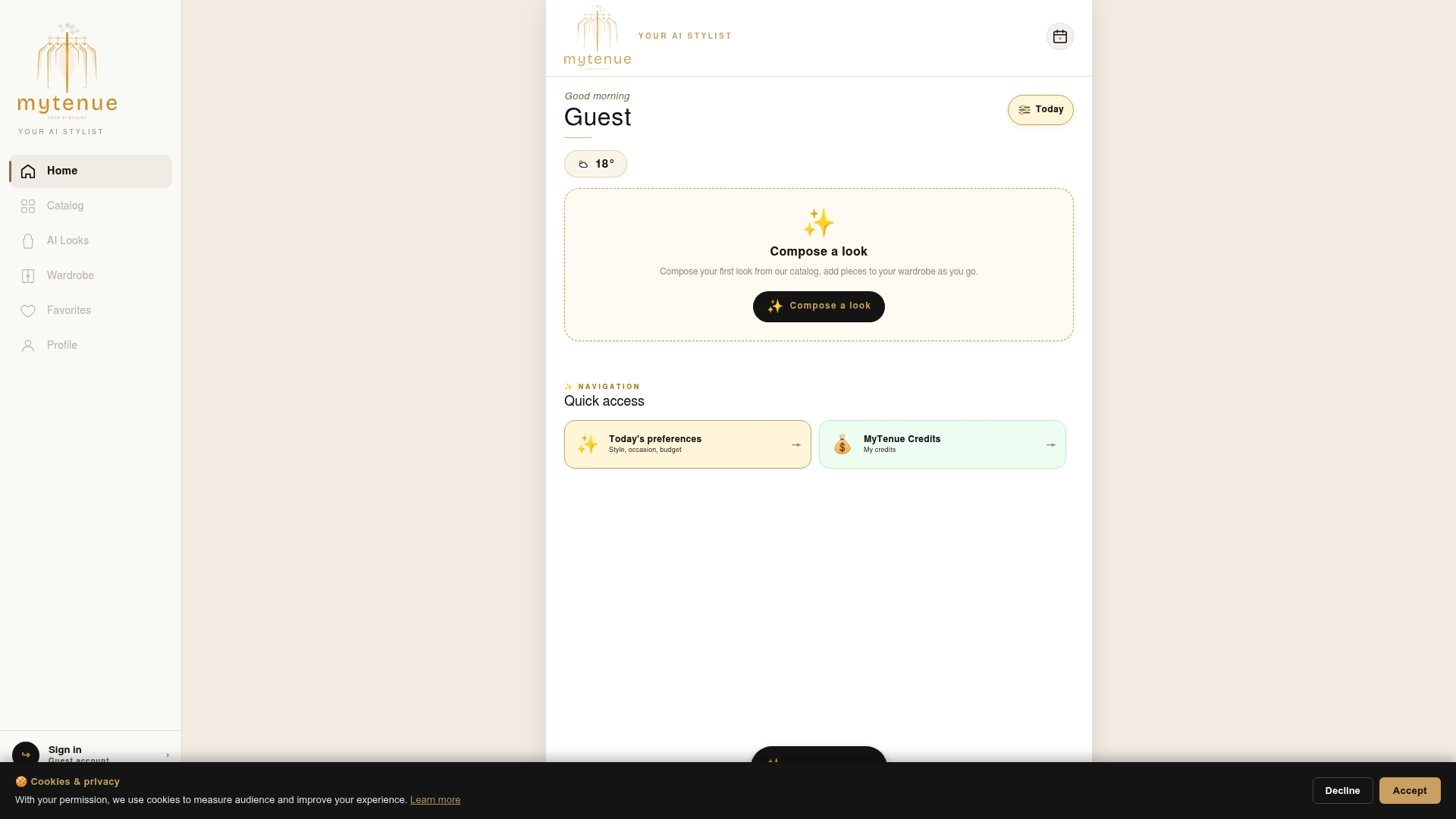
If you came here looking for quick outfit edits for styling or professional photos, our free plan is a low-friction way to see your own clothes rendered into new combinations. Paid tiers unlock deeper features like expanded virtual try-on and premium catalog access with loyalty credits; current prices are on the pricing page. Start with the MyTenue app and build your first digital wardrobe today.
FAQ
Are there AI tools for designing clothing from scratch?
Yes, several generative AI tools can design original clothing concepts from text prompts, separate from tools that edit outfits onto an existing photo. These design-focused tools are generally aimed at concept art or sketching rather than realistic try-on.
How can I use AI to change my outfit in a photo?
Upload a clear, front-facing photo, then either describe the outfit you want in a text prompt or upload a reference garment image. Most tools let you adjust fit, color, and background blending before exporting the final result.
What's the best free site for creating outfits?
There's no single best free option for everyone, since results depend heavily on your photo and the look you're after. Testing a tool on your own photo, and checking its privacy and data retention policies first, is a more reliable approach than chasing a ranked list.
Which app works best for designing outfits?
The right app depends on whether you want generic style generation or outfit suggestions built from clothes you already own. For wardrobe-based styling with virtual try-on, the MyTenue app is built specifically around digitizing your closet rather than starting from scratch.
Is it safe to upload my photo to an AI outfit editor?
It can be, provided the tool is transparent about data use. CNIL guidance recommends checking whether your photo might be used for model training and whether you can opt out or request deletion before you upload anything.
Sources
- AI and GDPR: the CNIL publishes new recommendations to support responsible innovation | CNIL
- SiCo: An Interactive Size-Controllable Virtual Try-On Approach for Informed Decision-Making | Proceedings of the 2025 ACM Designing Interactive Systems Conference