
AI outfit curation is the process of combining your wardrobe data with contextual inputs to generate and refine personalized outfit recommendations using intelligent algorithms and your own feedback. Think of it as working with a personal stylist who learns your taste over time. The industry term for this practice is AI-assisted personal styling, and it covers everything from digital wardrobe organization to iterative prompt refinement. This guide walks you through each step of the process so you can use AI as a creative collaborator, not just a search engine for clothes. Mytenue is built around exactly this approach, helping you move from a cluttered closet to a curated, occasion-ready wardrobe.
What do you need to start AI outfit curation step by step?
The foundation of any good AI fashion selection guide is clean data. Before you generate a single outfit, you need a digital wardrobe that accurately reflects what you own. Mis-tagged items cause repeated recommendation errors, so every piece in your catalog should carry correct labels for fabric, season, color, and formality level. A blazer tagged as "casual" when it reads as "business formal" will derail every suggestion that includes it.
Beyond your wardrobe data, you need three types of contextual input ready before each session: occasion, weather, and mood. These variables tell the AI what problem it is solving. A Saturday rooftop dinner in july calls for entirely different logic than a Monday morning client meeting. The more specific your inputs, the more useful the output.

The most effective setup combines three tool categories working together.
| Tool category | Primary function | Best for |
|---|---|---|
| Wardrobe organization app | Catalogs and tags your existing clothes | Building your digital closet |
| Conversational AI assistant | Generates outfit ideas from prompts | Iterative styling sessions |
| Curated AI marketplace | Suggests new pieces to fill gaps | Shopping with style context |
Providing 3–5 reference images and 3–5 real brands you wear improves AI accuracy significantly. That context gives the AI a visual language to work from rather than guessing your aesthetic from scratch.
Pro Tip: Build a Pinterest board of your true favorite outfits before your first AI session. Sharing it with your AI tool gives it a consistent visual reference and prevents generic, one-size-fits-all suggestions.
How do you generate strong AI outfit recommendations?
Start every session by defining your four context variables out loud: occasion, weather, dress level, and mood. Defining these variables before generating outfits leads to higher quality recommendations. Skipping this step is the single most common reason people get bland or irrelevant results.
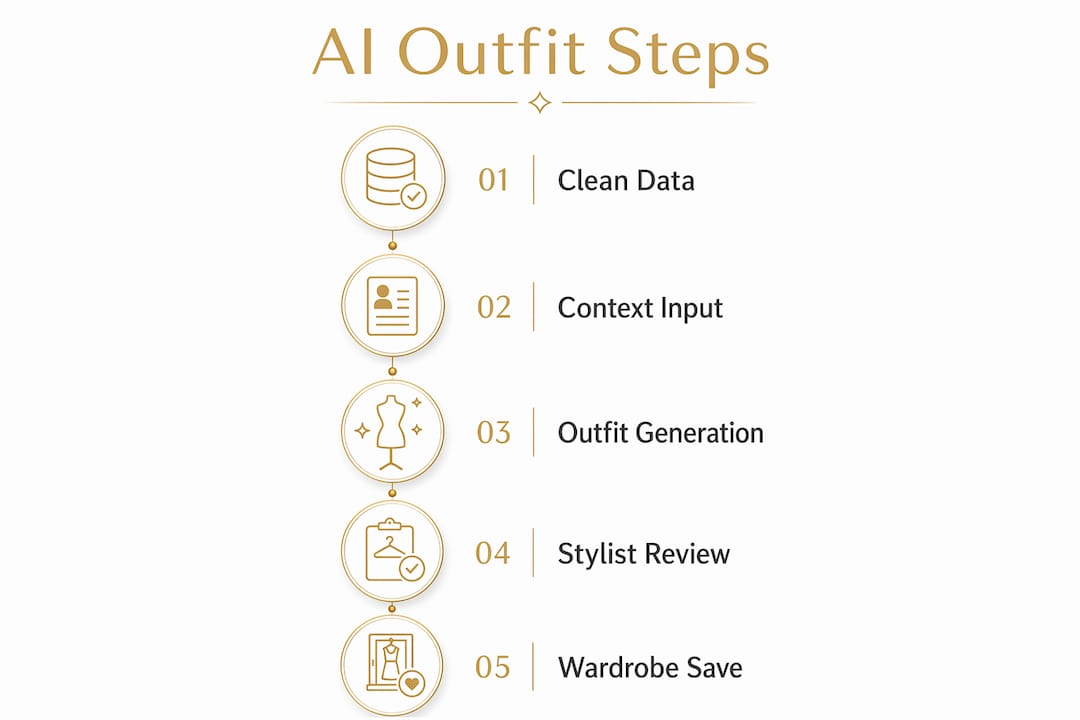
Once your context is set, use the three-version approach. Ask your AI to generate three outfit options at once: one safe, one elevated, and one trend-forward. Generating three outfit options creates better perspective and style variety than asking for a single "best" look. The safe version confirms what you already know works. The elevated version pushes your comfort zone slightly. The trend-forward version shows you what is possible.
Here is a practical prompt structure you can use:
- "For a [occasion] in [weather], at [dress level], suggest three outfits: one classic, one polished, one creative."
- "Use only items from my wardrobe catalog."
- "For each outfit, add finishing instructions: tuck, cuff, or layer."
- "Suggest one accessory per look."
- "Flag any item that conflicts with the dress code."
Small styling moves like cuffing sleeves or tucking shirts dramatically impact perceived polish. Ask your AI for these finishing details every time, not just the core pieces. The difference between a good outfit and a great one often comes down to one deliberate detail.
Pro Tip: Treat your AI like a junior stylist. Give it a clear brief, ask for options, then edit. Never accept the first result without requesting at least one variation.
For occasion-based outfit planning, the more specific your brief, the less work you do after the fact.
How do you review and refine AI-curated outfits like a stylist?
Getting a first draft from AI is the easy part. Editing it like a stylist is where the real skill lives. Most effective outfit engines learn from curated editorial and street-style archives, factoring in color harmony and silhouette balance. You should apply the same lens when reviewing what the AI gives you.
Check three things in every AI-generated look:
- Contrast: Does the outfit have at least one light and one dark element? Flat, same-tone outfits read as unintentional.
- Silhouette balance: Is one piece fitted and one relaxed? Wearing two oversized pieces at once rarely works outside of specific style contexts.
- Comfort reality: Would you actually wear this? If a suggested heel height or fabric weight is wrong for the occasion, flag it immediately.
When you want to improve a look, change one variable at a time. One-variable-at-a-time refinement isolates what improves styling outcomes best. Swapping the entire outfit because you dislike the shoes tells the AI nothing useful. Instead, say: "Keep everything, swap silver jewelry for gold." That single change gives the AI precise feedback it can apply to future suggestions.
Accessories are finishing touches, not fixers. If an outfit needs three accessories to work, the base outfit is the problem. Ask the AI to resolve the core combination first, then layer accessories on top of a look that already holds together.
Body-type styling advice from AI is best used as a starting point. Personal comfort and taste take precedence over rigid rules. If the AI suggests a belt to define your waist but you find belts uncomfortable, say so. The AI adjusts. You do not need to follow every recommendation to benefit from the process.
How do you save your best looks and build a repeatable wardrobe system?
Saving best outfit combinations builds a repeatable wardrobe system that reduces daily decision fatigue and raises your style consistency over time. Every time you approve a look, catalog it with the occasion, date, and any notes on what worked. Over weeks, patterns emerge: you will see which color combinations you reach for, which silhouettes you avoid, and which occasions still have gaps.
Use those saved looks to build three practical resources:
- Occasion-ready folders. Group outfits by event type: work presentations, casual weekends, formal events, travel days. When an occasion comes up, you open the folder rather than starting from scratch.
- Season capsule lists. At the start of each season, ask your AI to review your saved looks and identify which pieces appear most often. Those are your capsule anchors.
- Packing lists. Before a trip, pull your travel-tagged outfits and ask the AI to build a five-day mix-and-match plan from them. This cuts packing time and eliminates the "I brought the wrong things" problem.
Iterative AI interactions train personalized models over time. Every session where you give feedback makes the next session faster and more accurate. The AI stops guessing and starts knowing. For a deeper look at how this process works, the guide on AI wardrobe personalization covers the mechanics in detail.
Pro Tip: Connect your outfit catalog to your calendar. Tag each saved look with the event it was worn to. After six months, you will have a personal style archive that tells you exactly what works for every type of occasion in your life.
Key Takeaways
AI outfit curation works best when you treat it as an ongoing collaboration: clean wardrobe data, specific context inputs, and iterative feedback produce results that improve with every session.
| Point | Details |
|---|---|
| Start with clean wardrobe data | Tag every item with fabric, season, color, and formality to prevent repeated errors. |
| Define context before every session | Occasion, weather, dress level, and mood are required inputs, not optional extras. |
| Use the three-version approach | Request safe, elevated, and trend-forward options simultaneously for better style range. |
| Refine one variable at a time | Changing a single element per feedback round gives AI precise, usable direction. |
| Save and catalog approved looks | Building a searchable outfit archive reduces decision fatigue and reveals your style patterns. |
Why I think most people use AI styling backwards
Most people open an AI styling tool and type "what should I wear today?" That is the wrong starting point. It is like calling a tailor and saying "make me something nice" without giving measurements. The output will be generic because the input was generic.
What I have seen work consistently is the opposite approach: you do the thinking first, then hand the AI a specific problem to solve. Define the occasion. Name the weather. State the dress code. Only then ask for suggestions. Users who engage in active, iterative input training see AI styling shift from guessing to genuinely knowing their aesthetic. That shift does not happen automatically. You have to build it through repeated, specific feedback.
The other misconception I see constantly is treating AI body-type advice as law. AI styling tools draw on editorial archives and general style principles. They do not know that you run cold, that you hate anything tight around your wrists, or that you have a work culture that reads "business casual" as "smart jeans." You do. Feed that context in, and the AI becomes genuinely useful. Ignore it, and you get technically correct outfits that feel wrong every time you wear them.
The best AI styling sessions I have seen look less like a search query and more like a conversation with a well-briefed assistant. You bring the context. The AI brings the combinations. You edit together. That is the process that actually produces a wardrobe you want to wear.
— Ahmed
Mytenue: your AI personal stylist, ready to go
Mytenue is built for exactly the workflow described in this guide. You bring your wardrobe, your occasions, and your style preferences. Mytenue's AI does the rest, generating personalized outfit recommendations that account for what you already own, what the occasion demands, and what fits your budget.
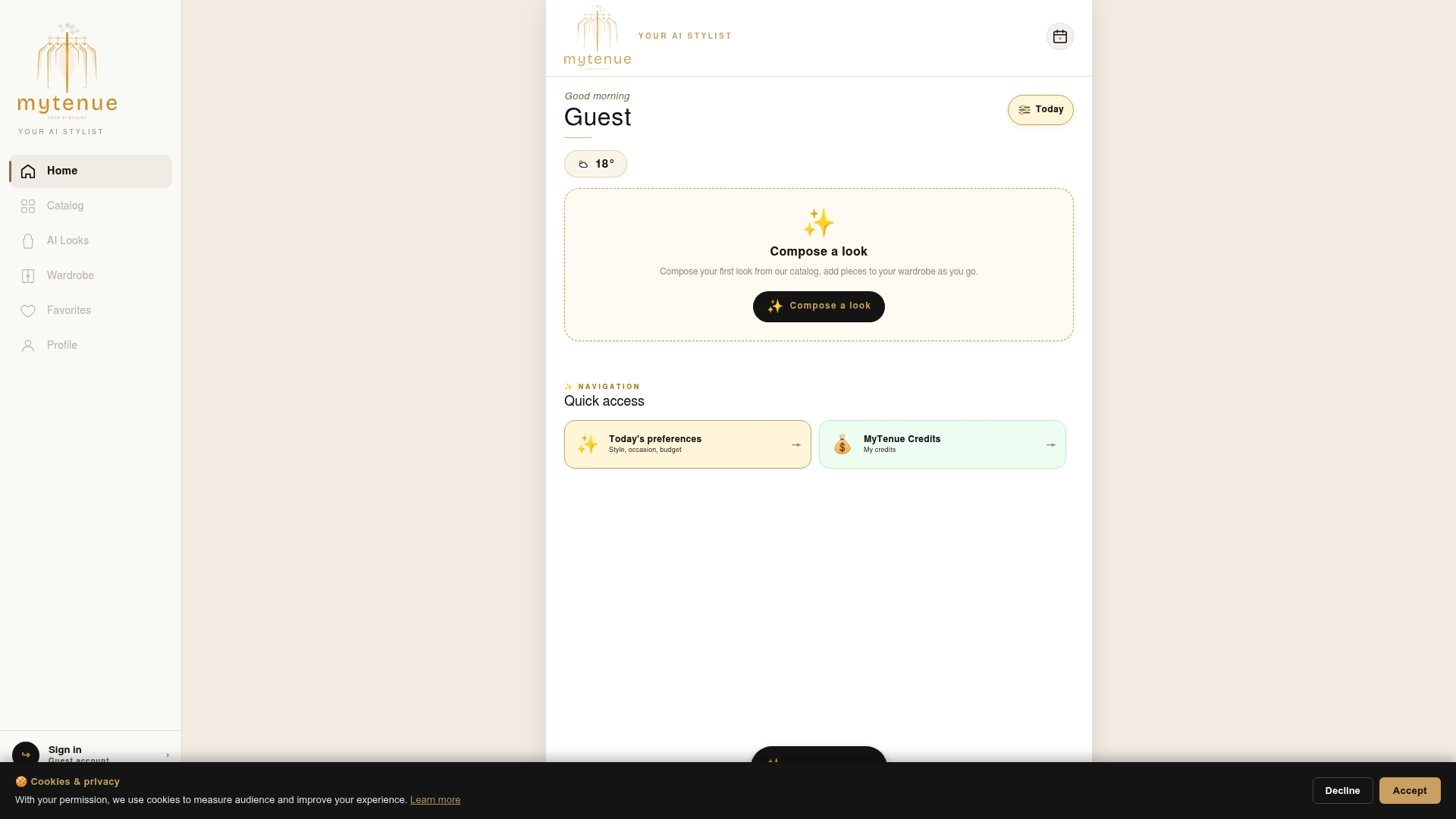
The platform combines wardrobe organization, AI-powered outfit generation, and a curated marketplace in one place. That means you can catalog your closet, get outfit suggestions, and fill style gaps without switching between apps. Whether you are planning a workweek, packing for a trip, or building a seasonal capsule, Mytenue gives you a personal stylist experience without the hourly rate. Start with your wardrobe, define your first occasion, and see what your AI stylist puts together.
FAQ
What is AI outfit curation?
AI outfit curation is the process of using intelligent algorithms and your personal wardrobe data to generate and refine outfit recommendations based on occasion, weather, and style preferences. It is the digital equivalent of working with a personal stylist who learns your taste over time.
How do I get better results from an AI outfit generator?
Define your occasion, weather, dress level, and mood before every session, and ask for three outfit versions rather than one. Iterative binary feedback on small batches sharpens AI accuracy faster than open-ended requests.
Why does my AI keep suggesting outfits I would never wear?
The most common cause is inaccurate wardrobe tagging. Mis-tagged items cause repeated recommendation errors, so auditing your digital closet for correct fabric, season, and formality labels usually fixes the problem quickly.
How often should I update my digital wardrobe?
Update your wardrobe catalog every time you buy, donate, or retire a piece. Stale data produces stale suggestions. A monthly review of your catalog takes under ten minutes and keeps your AI recommendations accurate.
Can AI outfit tools work for any body type?
Yes, with one important caveat. Body-type advice from AI is a starting point, not a rule. Always prioritize personal comfort and taste over algorithmic style guidelines, and tell your AI when a suggestion does not work for your preferences.