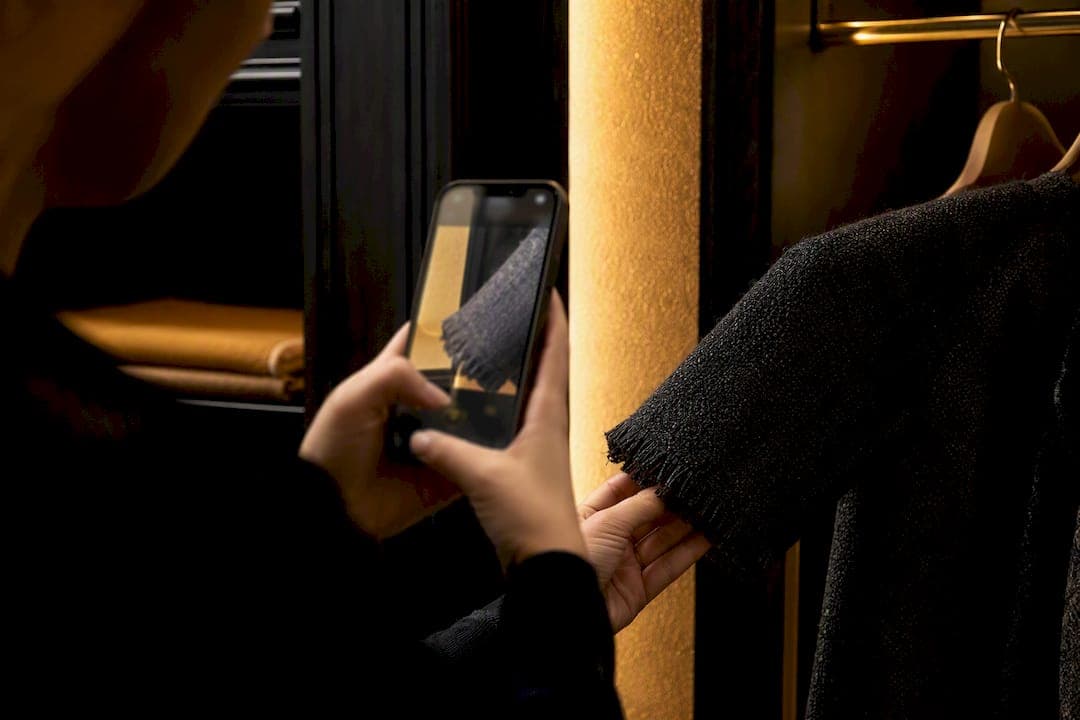
Yes. AI can absolutely help you get dressed: it digitizes your wardrobe, generates ready-to-wear outfit suggestions, and even shows you a virtual preview before you commit. It saves time, cuts decision fatigue, and puts your closet to better use. Mytenue is one of the leading tools built specifically for this job, combining wardrobe scanning, outfit planning, and virtual try-on in one app.
TL;DR:
- Most AI outfit tools rely on digitizing wardrobes with at least 8 to 12 core pieces before generating personalized suggestions.
- High-quality virtual try-on is typically based on your personal avatar, but fabric and lighting variances mean previews are directional rather than exact.
- Privacy concerns vary depending on whether image processing occurs locally on devices or in the cloud, and sharing images requires careful policy review.
- Look for wardrobe-first apps that suggest outfits based on your existing items and weather integration, avoiding those solely focused on promoting new purchases.
- Prioritize tools with realistic try-on previews, transparent pricing, and clear privacy policies to ensure the app truly enhances your wardrobe use rather than just pushing inventory.
Table of Contents
- What AI Outfit Assistants Actually Do
- How AI Styling Actually Works Behind the Scenes
- Getting Useful Outfits From an AI App: A Step-by-Step Start
- What to Check Before You Upload Your Wardrobe
- Why Mytenue Fits the Job of a Personal Stylist
- How to Choose the Right AI Outfit Tool for You
- The Part Most Guides Get Wrong About AI Styling
- Ready to Let Mytenue Handle Your Mornings?
- Sources
What AI Outfit Assistants Actually Do
Think of an AI stylist as a closet that finally talks back. You upload what you own, and the app turns those photos into a searchable, wearable database instead of a pile of options you forget about.
The core mechanics show up across most serious AI outfit tools:
- Wardrobe digitization — photograph or scan each item, and tagging by color, category, and fabric turns your closet into structured data the AI can actually work with.
- Outfit generation — the system pairs pieces based on occasion, weather, and color harmony rather than random matching.
- Virtual try-on — an avatar or photo preview shows how a look might sit on you before you put anything on, and some platforms generate editorial-style flat-lay images of the finished outfit.
- Planning tools — calendar syncing lets you queue up outfits for the week instead of deciding at 7 a.m.
- Shopping suggestions — when a genuine gap shows up in your wardrobe, the app flags items worth buying instead of pushing endless new purchases.
That last point matters more than it sounds. Apps like Lookastic build entire suggestions around clothes you already own, which nudges you toward reusing pieces instead of buying something new for every event. Wardrobe-first AI, done right, is a sustainability tool disguised as a convenience app.
How AI Styling Actually Works Behind the Scenes
The AI needs raw material before it can suggest anything useful. That means photos of your clothes, metadata tags (color, cut, fabric, season), your stated style preferences, the occasion you're dressing for, and often live weather data pulled for your location.
From there, computer vision handles the first pass. The model scans each photo and identifies garment type, dominant color, texture, and silhouette, essentially teaching the software what "a cropped denim jacket" or "a fitted midi skirt" looks like without you typing a description. This is the same category of image recognition used in AI-driven product imagery tools, adapted here to recognize garments instead of catalog shots.
The recommendation layer sits on top of that. It blends fixed style rules (don't pair clashing patterns, match formality to occasion) with machine learning that adjusts based on what you've liked, skipped, or worn repeatedly. Over time, the suggestions should sound more like you and less like a generic algorithm.
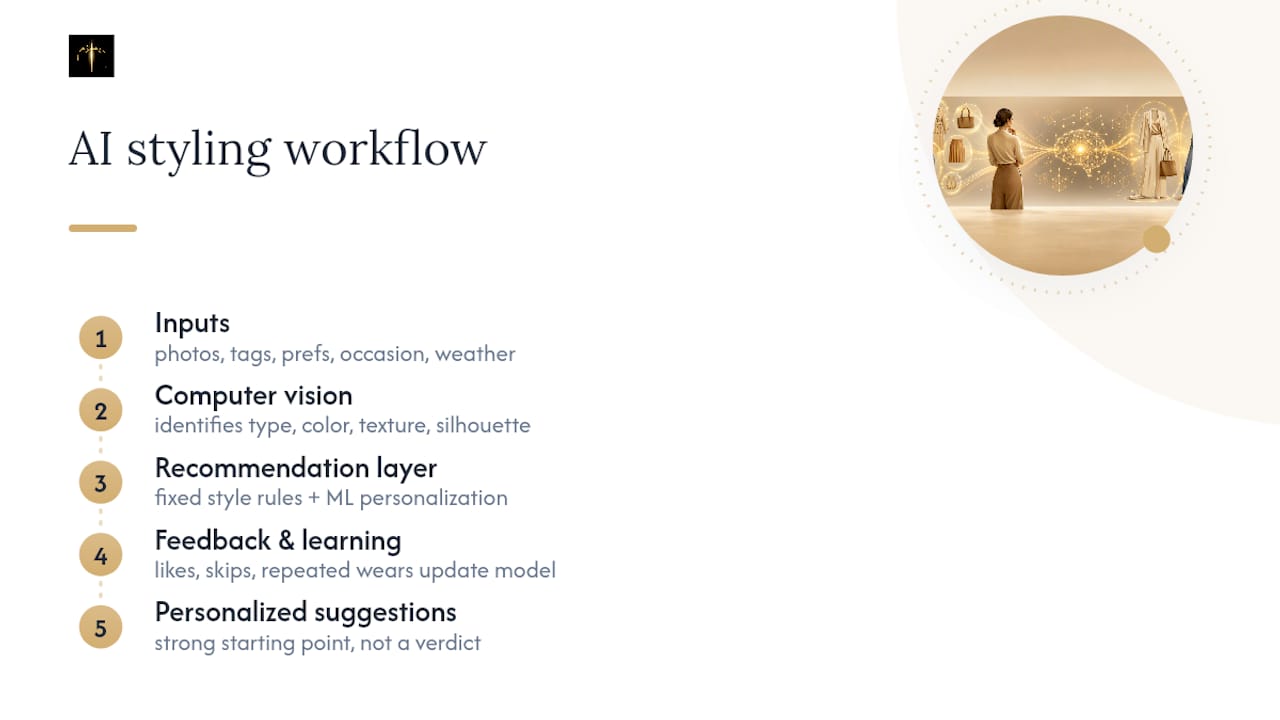
The gaps show up at the edges. Cultural style nuance, personal quirks in how you layer or accessorize, and unusual fabric behavior under different lighting can trip up even well-trained models. Suggestions are a strong starting point, not a verdict.
Getting Useful Outfits From an AI App: A Step-by-Step Start
You don't need your entire closet uploaded to get value on day one. Start small, prove the tool works, then expand.
- Pick a wardrobe-first app and set a few style goals (work-appropriate, casual weekends, one signature "going out" look).
- Digitize 8 to 12 core pieces first. Photograph each item against a plain background in natural light. Sharper images mean sharper item recognition, a detail Lookastic's own guidance echoes for anyone starting a digital wardrobe.
- Run your first outfit suggestions and rate or tweak them. Every edit trains the system toward your actual taste.
- Save outfits you like and drop them into the calendar or weather-based planner so mornings stop requiring decisions.
- Only use shopping suggestions when the app flags a real gap, like missing a neutral blazer that would unlock five other combinations.
Pro Tip: Photograph clothes flat or on a hanger rather than crumpled on a bed. Shadows and wrinkles are the number one reason AI misreads a garment's actual color or cut.
Within a week of consistent tagging, most people notice the suggestions start feeling personal instead of generic. That's the machine learning layer catching up to your preferences.
What to Check Before You Upload Your Wardrobe
Uploading your entire closet means uploading a lot of images tied to your body, your habits, and sometimes your home. Before you commit to any app, check where that processing actually happens.
Some tools process images locally on your device; others send everything to the cloud for analysis. Neither is automatically wrong, but you should know which one you're using. Read the privacy policy for retention terms specifically: how long photos are stored, whether they're used to train broader models, and whether anything gets shared with third parties.
On the fit side, treat virtual try-on as directional rather than exact. Fabric drape, stretch, and real-world lighting vary enough that even advanced image tools can't fully replicate how a garment will move on your actual body. Before paying for a premium tier or sharing preview images publicly, test the same outfit in a mirror once to confirm the AI's read matches reality.
Why Mytenue Fits the Job of a Personal Stylist
Mytenue was built around the exact workflow this article describes: digitize what you own, get outfit suggestions that respect occasion and weather, and preview the result before you commit.
The feature set maps directly onto the core needs covered above. Wardrobe digitization organizes your closet into tagged, searchable items. High-quality virtual try-on runs on your personal avatar, not a generic model. Daily suggestions factor in the weather where you actually live, and the built-in calendar lets you plan outfits days or weeks ahead instead of scrambling each morning.
Sustainability sits at the center of the design, not as an afterthought. Mytenue is built to help you mix pieces you already own with new ones, rather than pushing a fresh purchase every time you open the app. The Mytenue blog walks through wardrobe analysis and outfit curation in more depth if you want to understand the mechanics before diving in. Starting with the free tier costs nothing but a few photos of your closet.
How to Choose the Right AI Outfit Tool for You
Not every AI styling app deserves your closet's photos. A short checklist separates the tools worth your time from the ones chasing downloads.
Before committing to any platform, confirm it takes a wardrobe-first approach rather than only pushing new items to buy. Check whether image processing happens locally or in the cloud, since that shapes your privacy exposure. Test the virtual try-on quality yourself. A blurry or obviously fake preview is a bad sign for everything else the app claims to do. Look at the trial policy, the pricing model, and whether it integrates with retailers you'd actually shop from.
| Checklist item | What to look for |
|---|---|
| Wardrobe-first design | Suggestions built from your own items, not just new inventory |
| Processing location | Clear statement on local vs. cloud image handling |
| Try-on quality | Realistic preview, not a generic mannequin swap |
| Trial policy | Genuine free tier, not a disguised one-time trial |
| Pricing model | Transparent monthly or annual cost, no hidden add-ons |
| Retailer integration | Shopping suggestions tied to brands you'd consider |
Three red flags should send you elsewhere immediately: no visible privacy policy, a try-on preview that looks nothing like real fabric behavior, and pricing that reveals hidden fees only after signup. During any free trial, specifically test how the app handles an item you already own that's hard to categorize, like a patterned scarf or a textured knit. That's where weak tools show their limits fast.
The Part Most Guides Get Wrong About AI Styling
Most coverage of AI fashion tools treats the technology like a novelty: upload a photo, get a fun preview, move on. That framing undersells what's actually useful here. The real value isn't the try-on gimmick, it's the wardrobe database sitting underneath it.
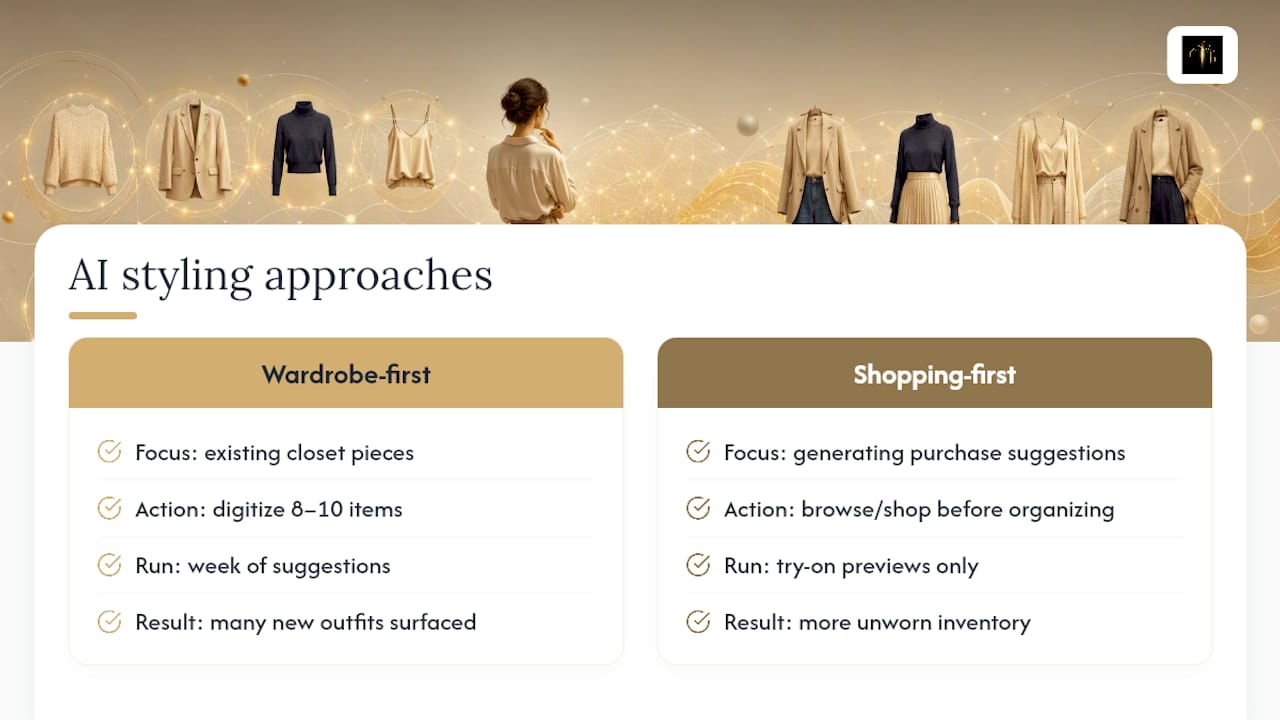
Conventional advice tends to push people toward shopping-heavy apps that generate purchase suggestions before they've even organized what they own. That's backwards. A closet full of unworn, uncoordinated clothes doesn't need more inventory. It needs a system that makes existing pieces work harder, which is exactly what wardrobe-first tools do differently from generic outfit generators built primarily to sell.
If there's one thing readers should prioritize first, it's digitizing before shopping. Get eight or ten items tagged, run a week of suggestions, and see how many "new" outfit combinations the AI surfaces from clothes already hanging in the closet. That number tends to surprise people, and it's a better test of an app's real value than any try-on preview.
— Ahmed
Ready to Let Mytenue Handle Your Mornings?
Mytenue is the wardrobe-first alternative to apps that push new purchases before you've even organized your closet. It builds outfits from what you already own, previews them on your personal avatar, and adjusts suggestions to the weather without asking you to shop first.
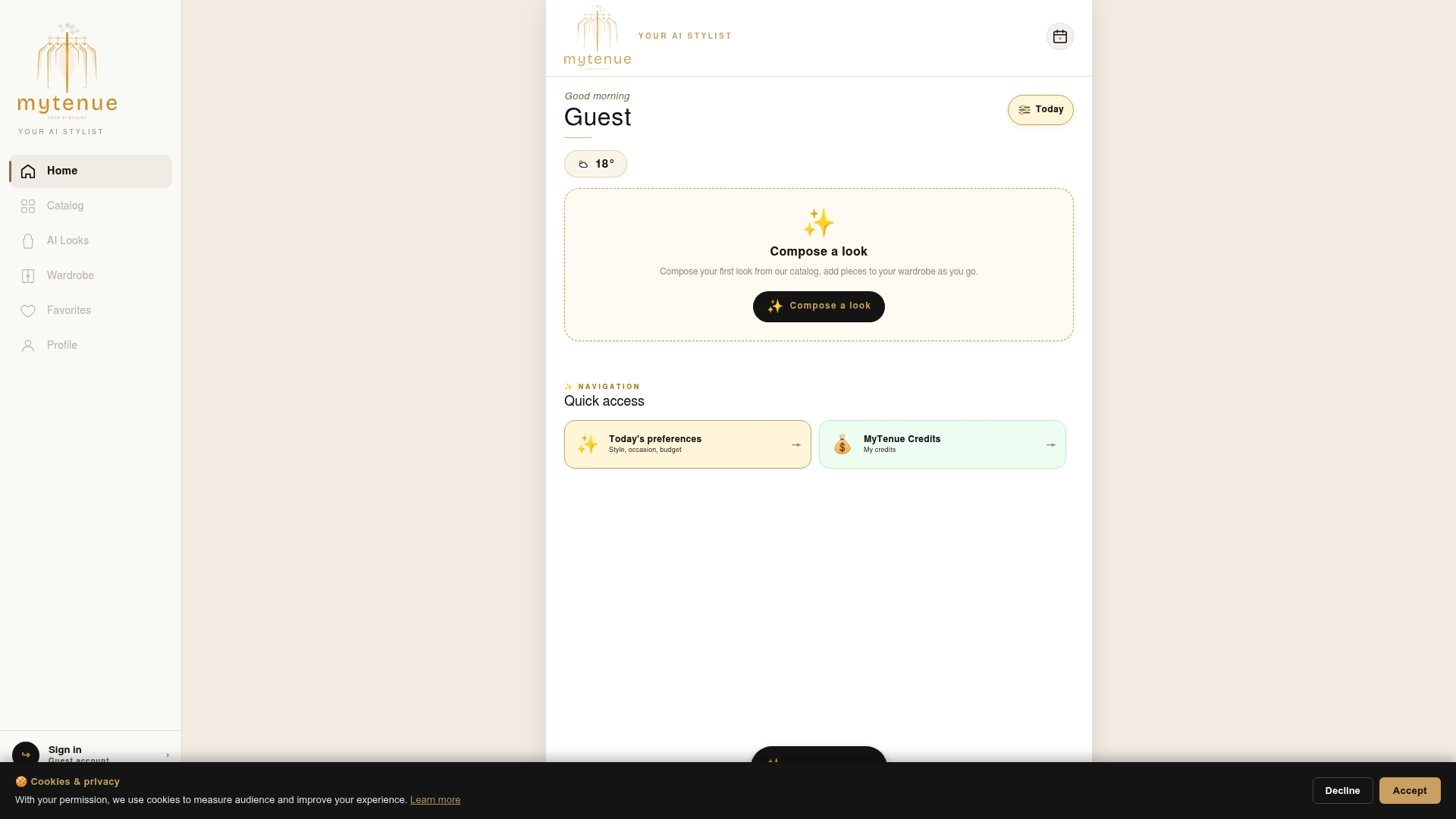
That order of operations matters. Instead of scrolling shopping suggestions cold, you start with a digitized closet, get outfit ideas that respect your existing pieces, and only see new-item suggestions when there's an actual gap worth filling. The outfit curation walkthrough on the Mytenue blog shows exactly how that plays out step by step, and the sustainability benefits of wardrobe reuse are worth a read if that's part of why you're exploring AI styling in the first place.
Open the app, photograph a handful of your favorite pieces, and see what Mytenue puts together for tomorrow.