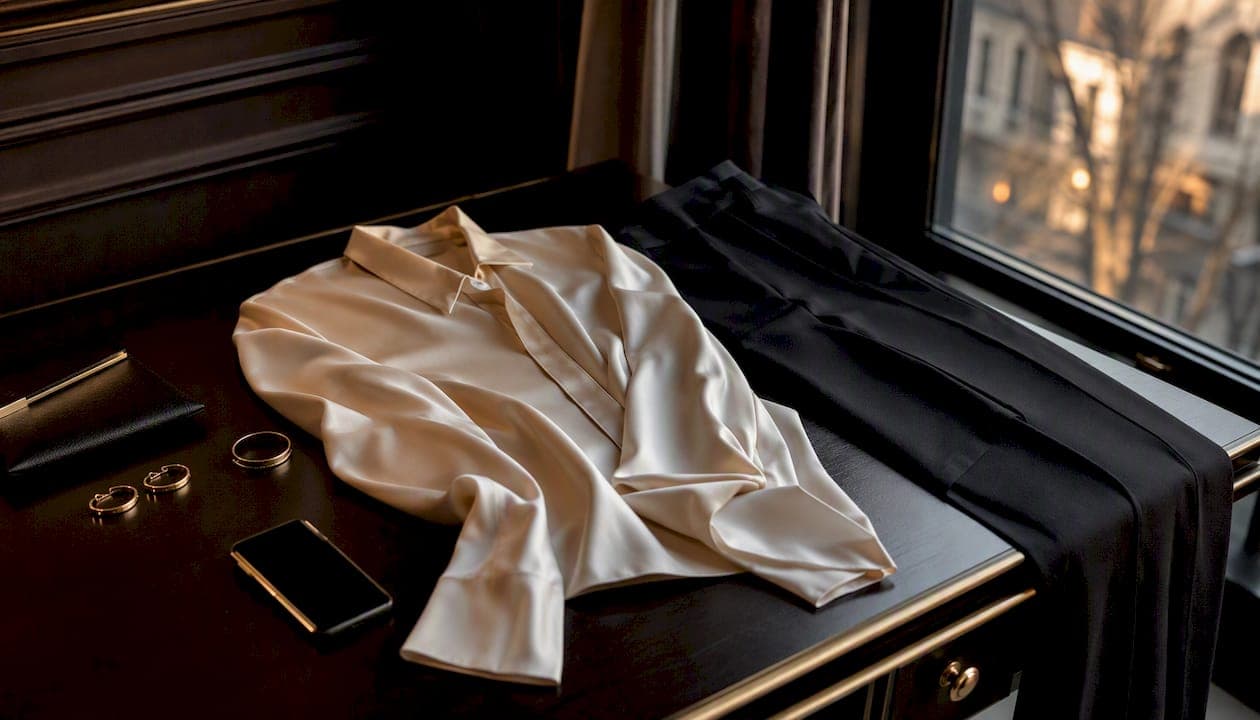
A style discovery app is a mobile or web tool that uses AI to analyze your wardrobe, learn your preferences, and generate personalized outfit suggestions — saving you real time every morning and replacing the "nothing to wear" spiral with confident, ready-to-go looks. Think of it as a personal stylist living in your phone, one that gets sharper the more you use it.
- Time saved: Most users spend far less time deciding what to wear once the app has indexed their wardrobe and learned their taste.
- More confident choices: AI-generated outfit pairings, grounded in your actual clothes and occasions, reduce second-guessing.
The concept has a formal name in the industry. Shoptelligence's SDX framework defines a Style Discovery Experience as an AI-driven approach that combines product-level data (materials, shape, textures) with user context to create personalized, cross-category ensembles — essentially Pandora for fashion. Statista's tracking of U.S. digital shoppers confirms that inspiration-driven discovery is already a dominant behavior in fashion. Mytenue is built on exactly this model.
Key Takeaways
A style discovery app uses AI and computer vision to turn your wardrobe photos into personalized outfit recommendations, cutting decision time and building outfit confidence through a continuous feedback loop.
Table of Contents
- What is a style discovery app, and which features define one?
- How do style discovery apps generate personalized suggestions?
- Who actually uses style discovery apps, and for what?
- What are the real benefits — and the honest limitations?
- What should you check before uploading your wardrobe photos?
- How do you choose the right style discovery app for you?
- How to set up a style discovery app in 15 minutes
- How Mytenue puts style discovery into practice
- Mytenue: your AI stylist, ready when you are
- Sources
What is a style discovery app, and which features define one?
Not every fashion app qualifies. A true style discovery app delivers a specific set of capabilities that work together. Here is what to look for:
- Digital closet / wardrobe import: You photograph or upload your clothes; the app catalogs them so every recommendation pulls from what you actually own. ACloset markets itself on exactly this closet-first model.
- AI stylist / outfit recommendations: The engine pairs items by color, fit, occasion, and season — no manual mixing required.
- Visual search (photo to item): Upload a photo of something you spotted on the street or on social media, and the app finds the same or similar pieces across retailers. Shoppy is built around this photo-first workflow.
- Virtual try-on / avatar: A digital avatar wearing your proportions lets you preview outfits before you put them on.
- Outfit planning and calendar: Schedule looks for specific dates, trips, or events so you are never scrambling the night before.
- Color and fit analysis: The AI flags clashes, suggests complementary palettes, and filters by your stated size and fit preferences.
- Discovery feed / social inspiration: A curated feed surfaces trending looks and influencer content filtered to your aesthetic. Pose on Google Play uses a feed that learns from your likes and saves to build outfits around pieces you already love.
- Conversational / natural-language search: Type or speak a request ("something for a rainy commute, business casual") and the app interprets it. Say Less combines conversational queries with visual search and saved chat history for exactly this pattern.
- Wishlist and shopping links: Save items you want, compare prices, and buy directly through affiliate links.
- Outfit history and analytics: Track what you have worn, how often, and which items earn their closet space.
- Aesthetic and budget curation: Select style categories (Y2K, Old Money, Minimalist) and set a budget cap; Vanity AI shows how budget-aware aesthetic discovery works in practice.
Pro Tip: The single feature that most reliably predicts whether an app will actually help you is the quality of its wardrobe import combined with how much you can customize preferences (size, fit, budget). An app with a brilliant recommendation engine but a clunky photo-upload flow will frustrate you into abandoning it within a week. Test the import first.
How do style discovery apps generate personalized suggestions?
The process runs in a continuous loop, not a one-time setup. Here is the basic flow:
- Onboarding: You answer a short style quiz (aesthetic preferences, body type, occasions, budget) and grant the app access to your camera or photo library.
- Data ingestion: You upload photos of your clothes. Computer vision models tag each item by category, color, fabric, pattern, and fit — automatically or with light manual input.
- Recommendation modeling: A machine learning layer cross-references your tagged wardrobe with your stated preferences and contextual signals (weather, calendar events, occasion type) to propose outfits.
- Personalization loop: Every time you accept, reject, or modify a suggestion, the model updates. Likes and saves carry more weight than passive views.
- Discovery expansion: Once your wardrobe is indexed, the app can surface new items from its catalog or partner retailers that fill genuine gaps — not just things that look good in isolation.
In practice, this means the app can suggest a waterproof trench over your navy trousers on a rainy Tuesday commute, or build a weekend capsule from 12 items you already own before a trip. Hyper-personalized styling takes this further by layering trend data and occasion context on top of your wardrobe profile.
Common failure modes to know about:
- Poor-quality photos produce inaccurate tags, which breaks downstream recommendations.
- Ambiguous items (a gray blazer that reads as both casual and formal) confuse the model until you add manual context.
- Cold-start lag: a new account with fewer than 10–15 uploaded items generates generic suggestions. Good onboarding photos and initial preference settings fix this faster than weeks of passive use, as AI wardrobe personalization best practices confirm.
Who actually uses style discovery apps, and for what?
The audience is broader than you might expect. Four groups get the most consistent value:
Young professionals use these apps to build work-to-weekend outfit rotations without buying more clothes. Busy parents rely on them for fast morning decisions when time is genuinely scarce. College students use aesthetic-discovery features (style categories, influencer matching) to define a look on a tight budget. Fashion-conscious shoppers treat them as a personal shopping filter that cuts through the noise of endless product feeds.
Concrete use cases across all groups:
- Daily outfit suggestions based on weather, calendar, and mood
- Event styling (wedding guest, job interview, first date) with occasion-specific filters
- Packing and trip planning: the app builds a travel capsule from your existing wardrobe
- Closet cleanups: analytics show which items you never wear, making it easier to donate or sell
- Shopping and wishlist management: find dupes for expensive pieces or track price drops
- Outfit tracking for sustainability: knowing your cost-per-wear encourages reuse over impulse buying
Mini-scenario 1: A marketing manager has a client dinner on Thursday. She opens the app, selects "business formal, evening," and gets three outfit options built from clothes already in her closet — no last-minute shopping required.
Mini-scenario 2: A college student sees a look on social media and uploads the screenshot. The visual search feature finds similar pieces under $60, ranked by retailer rating and shipping speed.
What are the real benefits — and the honest limitations?
| Benefit | Limitation |
|---|---|
| Cuts daily decision time significantly | Requires upfront time to photograph and tag your wardrobe |
| Builds outfit confidence with AI-backed pairings | Recommendations reflect your uploaded data, not your full closet |
| Surfaces new combinations from clothes you already own | Algorithmic suggestions can narrow your style over time |
| Connects to shopping for gap-filling purchases | Subscription costs add up if you use multiple apps |
| Tracks outfit history for smarter buying decisions | Virtual try-on accuracy varies by body type and item fit |
| Supports sustainable wardrobe habits through reuse | Cold-start period produces generic results until data builds |
The benefits of personal-style AI curation are real: time saved, reduced decision stress, and a measurable push toward wearing what you already own. But one trade-off deserves honest attention. When you accept AI suggestions without pushback, the app's model reinforces its own predictions. Your style can quietly converge toward whatever the algorithm thinks you like, rather than expanding. The fix is simple: reject suggestions occasionally, add items outside your comfort zone, and use the app as a decision-support tool rather than the final word. Your judgment still matters.
What should you check before uploading your wardrobe photos?
Privacy deserves a quick review before you hand over photos of your home and clothing. Here is a practical checklist:
- Photo storage: Does the app store images locally on your device or in the cloud? Cloud storage is convenient but means your wardrobe data lives on a third-party server.
- Third-party sharing: Check whether the app shares your photos or style profile with advertising partners or data brokers.
- Model training: Some apps use uploaded photos to train their AI models. Look for an opt-out in the privacy settings.
- Account permissions: On iOS, grant photo access only for selected images rather than your full library. On Android, use the "Allow access to specific photos" option introduced in Android 13+.
- Data retention: Find out how long the app keeps your data after you delete your account. A 30-day deletion window is standard; longer retention is a flag.
Quick actions before you start:
- Set your storage preference to local-only if the option exists.
- Limit photo sharing to the minimum the app needs to function.
- Delete any cloud backups you did not intentionally create.
- Review the privacy policy for the phrase "sell or share personal information" — California's CCPA gives U.S. residents the right to opt out.
Platform availability matters here too. iOS apps face stricter App Store privacy nutrition labels than web apps, and web-based tools (accessible via browser) often have different permission scopes than their mobile counterparts. Check each platform's permissions separately if you use the app across devices.
How do you choose the right style discovery app for you?
Work through this checklist before committing to a subscription:
- Wardrobe import quality: Can you batch-upload photos? Does the AI tag items accurately, or do you spend more time correcting tags than wearing outfits?
- Visual search accuracy: Test it with a real photo from your camera roll. If the results miss the mark, the feature will not hold your attention.
- Customization controls: Can you set size, fit, budget, and occasion filters? Apps without these controls push generic recommendations.
- Virtual try-on fidelity: Does the avatar reflect your actual proportions, or is it a generic mannequin? Fidelity matters for real purchase decisions.
- Data exportability: Can you export your outfit history or wardrobe catalog if you switch apps? Lock-in is a real cost.
- Pricing model: Freemium tiers are common. Confirm what the free version actually includes before upgrading. Check for annual vs. monthly billing differences.
- Cross-device sync: If you use both a phone and a laptop, confirm the app syncs in real time across both.
- Privacy policy clarity: A policy written in plain English that names specific data uses is a better sign than a vague, legal-dense document.
Testing an app quickly during a free trial:
- Upload 15–20 items covering different categories (tops, bottoms, outerwear, shoes).
- Set your size, fit, and at least one occasion preference.
- Run the recommendation engine and note whether the first three suggestions feel genuinely personal or generic.
- Try the visual search with one real-world photo.
If the app feels off after that 20-minute test, the personalization loop rarely improves it enough to justify a paid tier. For a deeper look at personalization features in fashion apps, the feature breakdown there maps directly to this checklist.
How to set up a style discovery app in 15 minutes
A fast, focused setup beats a slow, perfect one. Here is the sequence:
- Install and create your profile. Choose your gender presentation, body type, and primary style goal (daily outfits, event styling, shopping).
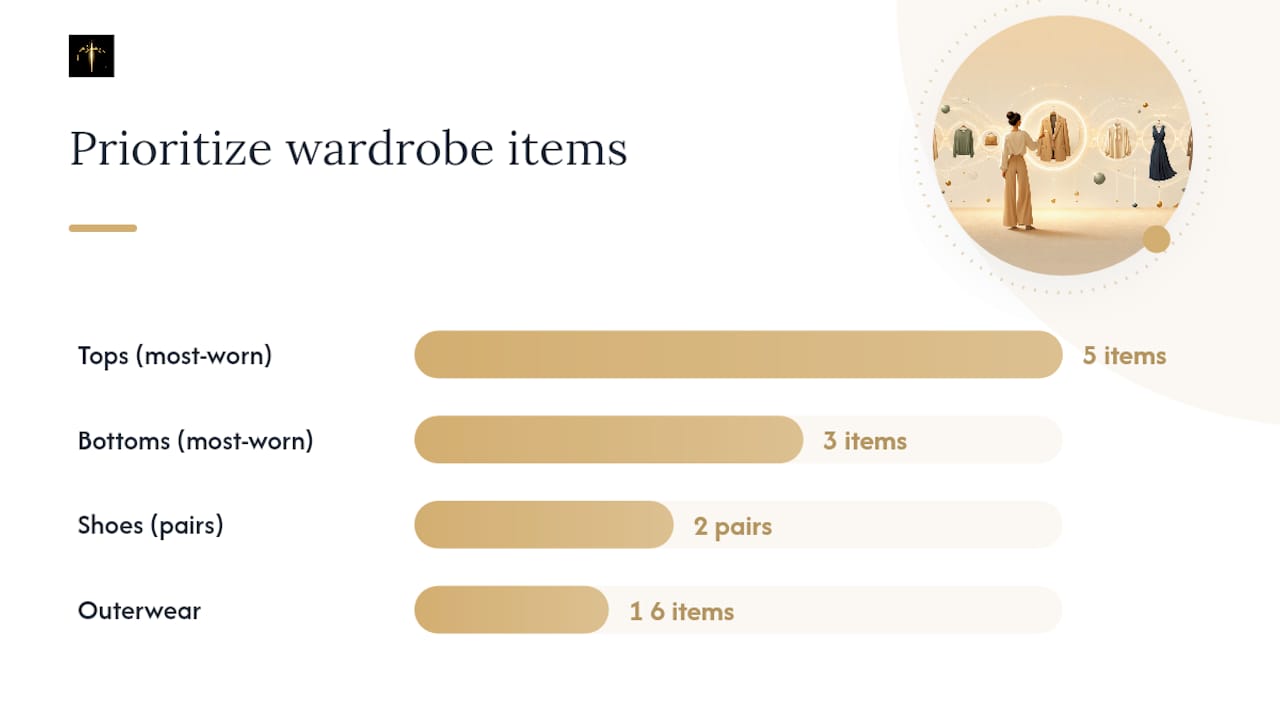
- Upload 10–20 wardrobe items. Prioritize the pieces you reach for most: 5 tops, 3 bottoms, 2 pairs of shoes, and 1–2 outerwear items.
- Photograph for accuracy. Flat-lays on a white or neutral background in natural light produce the cleanest AI tags. One item per photo, no hangers.
- Tag key items manually. Add occasion (work, casual, formal) and season tags to your most-worn pieces. This accelerates the cold-start phase significantly.
- Set your preferences. Enter your size, budget range, and at least two occasions you dress for regularly.
- Run your first recommendation. Accept or reject each suggestion — both signals train the model.
- Save three outfits you like. Saved outfits anchor the personalization loop and give you something to reference tomorrow morning.
After the first session, expect the suggestions to feel reasonably accurate. The model sharpens noticeably after 2–3 weeks of active feedback. For faster improvement, use the AI feedback loop guide to understand which signals carry the most weight.
Pro Tip: Batch-tag your photos by category before uploading. Spending 5 minutes sorting images into folders (tops, bottoms, shoes) before the upload cuts in-app tagging time by half.
How Mytenue puts style discovery into practice
Mytenue is built around the full feature set this guide describes, with a few specific implementations worth noting.
- Wardrobe digitization: Upload photos directly from your phone; the AI tags each item by category, color, fabric, and occasion automatically.
- AI outfit recommendations: The engine generates complete looks from your wardrobe, filtered by weather, occasion, and your stated style preferences.
- Virtual try-on with personal avatars: Mytenue uses a high-fidelity avatar built from your measurements, not a generic model, so previews reflect how clothes actually sit on your body.
- Weather-adapted daily suggestions: The app pulls local weather data and adjusts outfit proposals accordingly — no more grabbing a light jacket on a 40°F morning.
- Outfit planner calendar: Schedule looks for specific dates, trips, or events and see your week's outfits at a glance.
- Bilingual interface (French/English): Switch between languages without losing any data or settings.
- Mobile and web access: Available on iOS, Android, and browser, with real-time sync across devices.
- Freemium model with premium catalog: A free tier covers core features; a subscription unlocks the full catalog and loyalty credits for premium items.
A new Mytenue user's first personalized outfit typically takes about 15 minutes: install the app, upload 10–15 wardrobe photos, set occasion and size preferences, and the AI generates a complete look. The sustainability angle is built in: every recommendation prioritizes items you already own before suggesting new purchases, which directly supports the personal style AI curation benefits of reduced waste and smarter buying.
What actually makes these apps worth using long-term
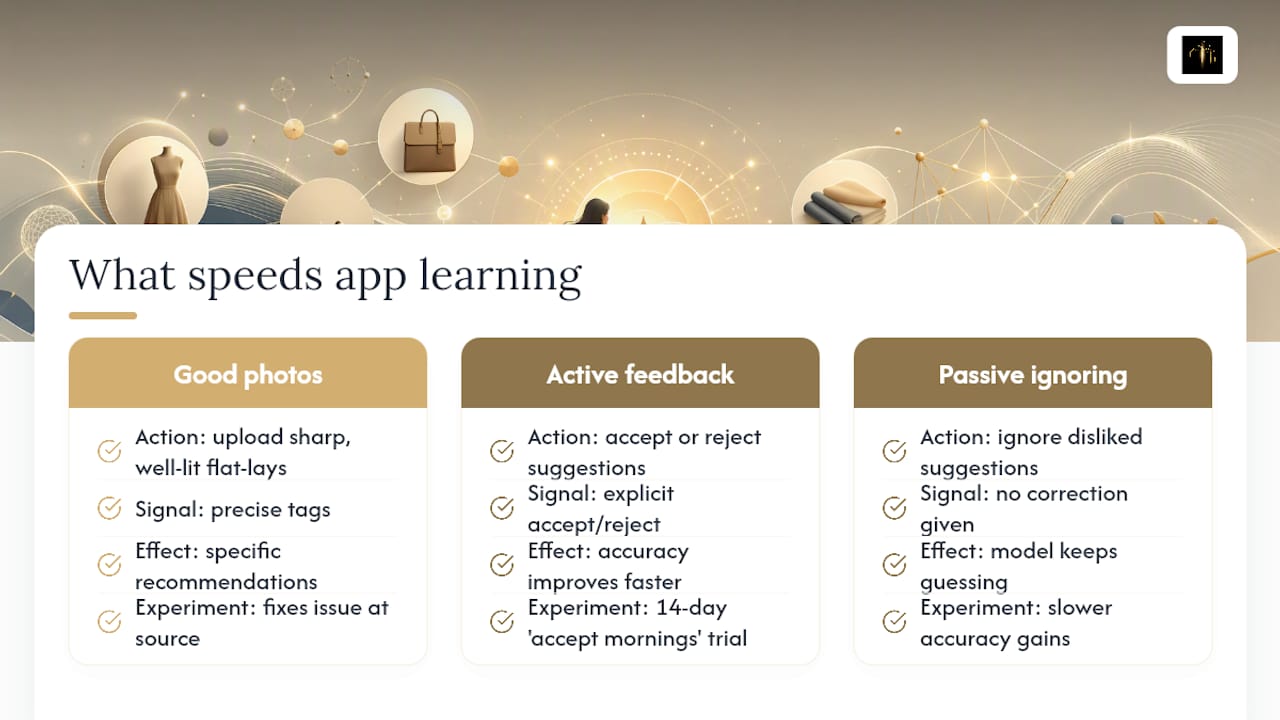
The apps that stick are the ones where the feedback loop is active, not passive. Photo quality at upload is the single biggest lever most users underestimate. A blurry or poorly lit photo produces a vague tag, which produces a generic recommendation, which you reject, which teaches the model nothing useful. Sharp, well-lit flat-lays fix this at the source.
A useful two-week experiment: for 14 days, accept the app's morning suggestion without overriding it. Note how many times the outfit felt right versus how many times you changed it. Compare that acceptance rate to your manual-choice days. Most users find the app's accuracy improves faster when they give it explicit rejection signals ("not this") rather than simply ignoring suggestions they dislike. Active feedback is the difference between an app that learns your style and one that keeps guessing.
Mytenue: your AI stylist, ready when you are
Getting dressed should feel good, not stressful. Mytenue gives you a personal AI stylist that works from your actual wardrobe, not a generic catalog, so every suggestion is grounded in what you already own and love.
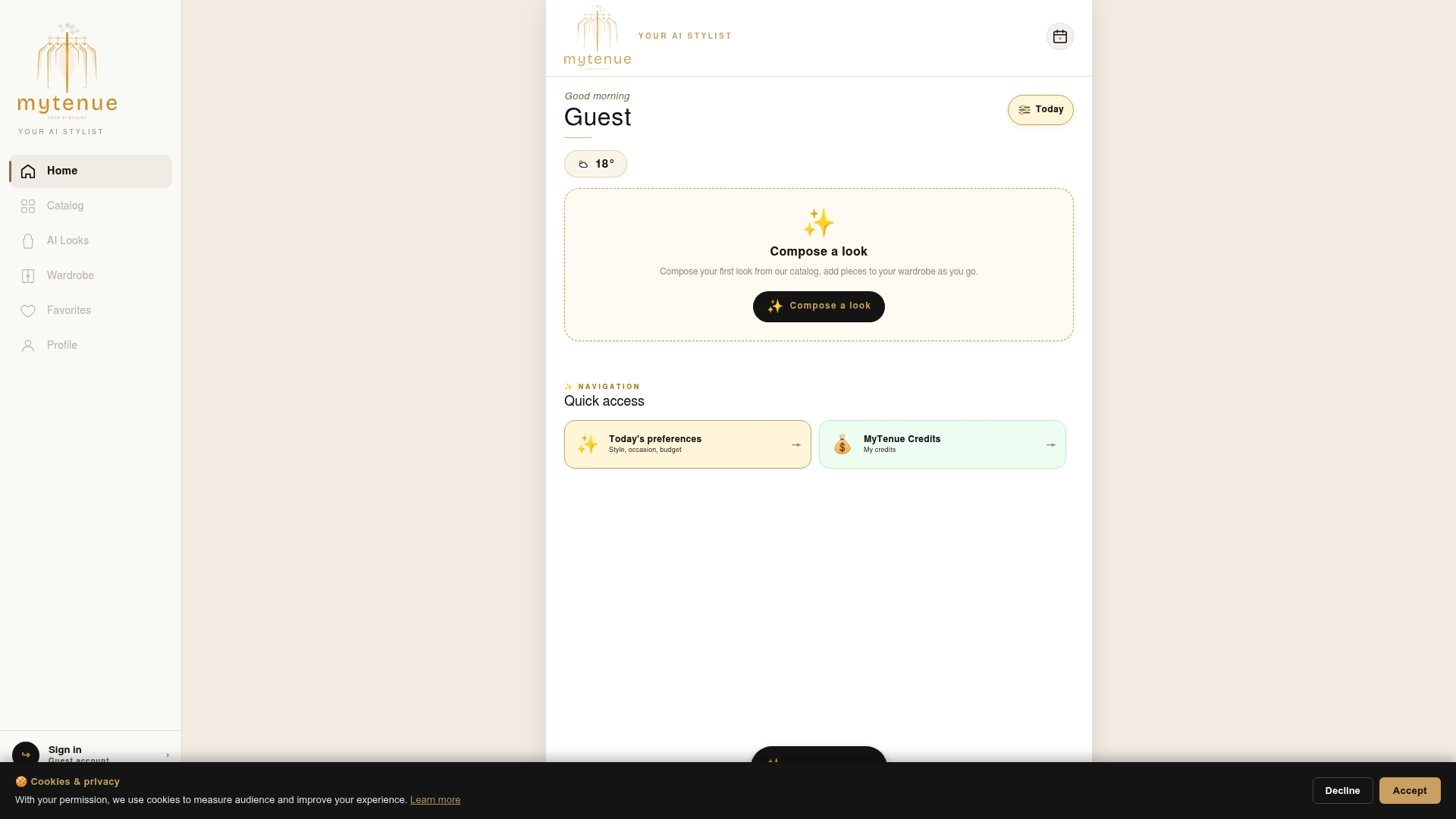
Here is what you get from day one:
- AI-generated outfits built from your uploaded wardrobe
- High-fidelity virtual try-on using your personal avatar
- Daily weather-adapted outfit suggestions
- An outfit planner calendar for trips, events, and everyday dressing
- A bilingual interface (French/English) and full cross-device sync
The free tier gets you started with no commitment. When you are ready for the full catalog and premium features, a subscription unlocks everything. Try Mytenue now and get your first personalized outfit in under 15 minutes.
Sources
- Shoppy - Fashion Search App - App Store
- Vanity AI Your Personal Style Discovery App
- Say Less: AI Fashion Discovery App - App Store
- Chromewebstore
- Statista