
Mytenue is the recommended OOTD app for most U.S. users. It combines an AI personal stylist, wardrobe digitization, and high-quality avatar-based virtual try-on in one place, so you spend less time guessing and more time looking great. The AI analyzes color, fabric, and occasion compatibility, then builds outfit suggestions from what you already own. A built-in calendar lets you plan looks days ahead, and the avatar try-on shows exactly how combinations land before you get dressed.
Get started in three steps:
- Download Mytenue on iOS or Android at mytenue.com
- Try the free tier, no credit card needed
- Start with a small capsule import to see AI suggestions right away
Table of Contents
- Platforms, pricing, and what you get at each tier
- Is OOTD still used, and where do people share looks now?
- What users say: app store ratings and reviews
- Common technical issues and how to fix them
- Key Takeaways
- Why AI personal styling beats a manual closet spreadsheet
- Mytenue: your AI stylist, ready when you are
Platforms, pricing, and what you get at each tier
Most outfit apps run on iOS and Android, with web access available on select platforms. Mytenue covers all three, so your wardrobe syncs whether you're on your phone or at a desktop.
Pricing generally follows a freemium model: a free tier with limited item storage and basic suggestions, a monthly subscription with full AI features, and an annual plan at a lower per-month rate. Apple handles iOS subscription billing through your Apple ID, including refunds and cancellation. Android subscriptions run through Google Play.
| Tier | Storage | AI outfit suggestions | Virtual try-on | Cloud sync |
|---|---|---|---|---|
| Free | Limited items | Basic combinations | Not included | Device only |
| Monthly subscription | Unlimited | Full AI + occasion matching | Avatar try-on included | Full cross-device |
| Annual subscription | Unlimited | Full AI + weather-aware | High-quality avatar | Full cross-device + priority |
In-app purchases on some platforms unlock premium catalog items or loyalty credits. Check the specific app's store listing for current pricing, since rates vary and promotional tiers appear seasonally. For smart wardrobe decisions, the annual plan typically pays for itself if you use the AI suggestions more than a few times a week.
Is OOTD still used, and where do people share looks now?
Yes. OOTD remains an active tag and sharing format across Instagram, TikTok, and Pinterest, and it has evolved well beyond a simple hashtag. Users now share looks as Reels, TikTok videos, Pinterest boards, and dedicated app posts, often combining multiple platforms in a single workflow.
Polyvore-style collage boards disappeared when the platform shut down, but the behavior migrated. Users now remix looks inside wardrobe apps, then export flat-lay images or styled photos to social channels. The dedicated OOTD app category picked up the visual-journal function that Polyvore once served.
Practical advice for cross-posting:
- Export editorial flat-lays from your outfit app and post them directly to Instagram or Pinterest for reach
- Use TikTok's "get-ready-with-me" format for video OOTD content, which consistently outperforms static posts
- Keep personal wardrobe data (item inventory, cost, repeat notes) inside the app with privacy controls on, and only share the final styled look publicly
- Tag looks with occasion and season so your own archive becomes searchable over time
What users say: app store ratings and reviews
App store ratings give a quick signal, but the detail is in the written reviews. Google Play's rating system lets users leave and update reviews over time, so recent ratings reflect the current app version rather than a launch-day impression.
Across outfit and wardrobe apps, the most common praise covers AI suggestion quality, ease of import, and calendar features. The most common complaints involve slow background removal on lower-end devices, limited free-tier storage, and occasional sync delays between phone and web.
If you encounter content or behavior in an app that seems problematic, Google Play's reporting tools let you flag it directly. For privacy expectations, Google's developer privacy policies require apps distributed on Play to disclose exactly what data they collect and how it's used. Check the app's privacy policy before granting camera or photo-library access.
Common technical issues and how to fix them
Most problems with outfit apps fall into a short list, and most have straightforward fixes.
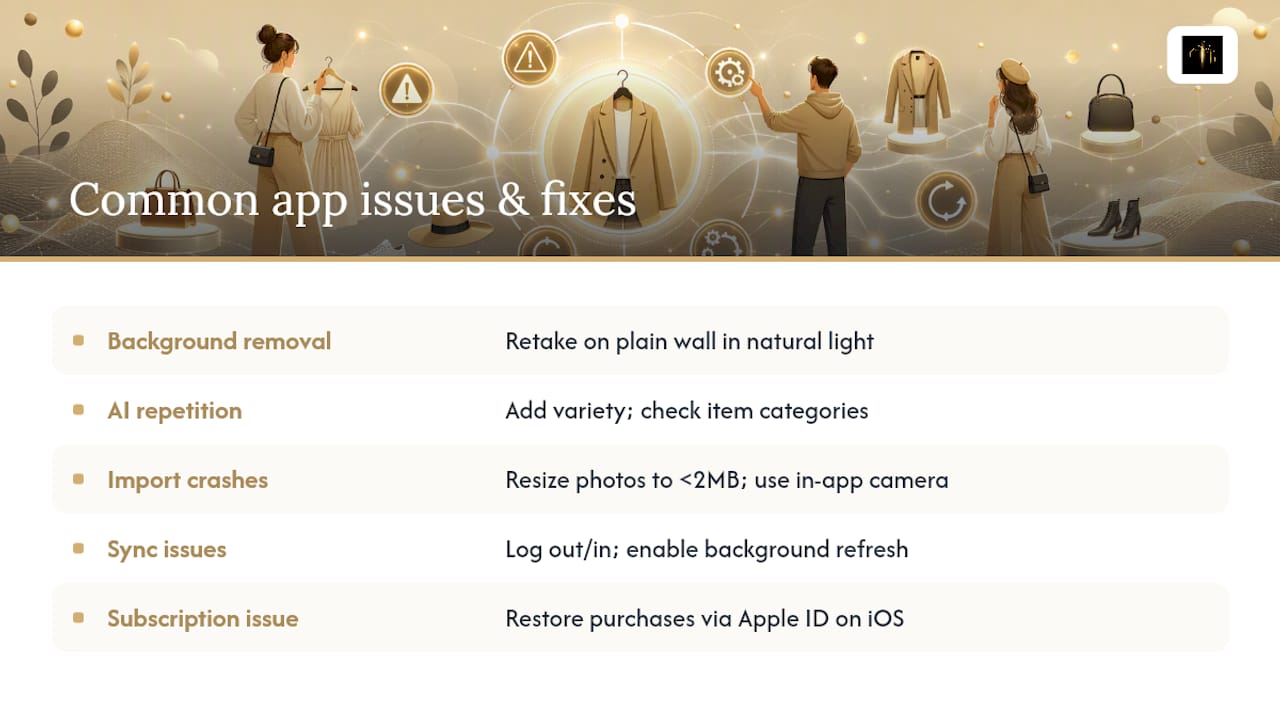
Background removal fails or looks patchy. The cause is almost always a busy or dark background in the source photo. Re-photograph the item against a plain white or light wall in natural light.
AI suggestions repeat the same combinations. This usually means your wardrobe has too few tagged items or too many items in the same color family. Add more variety, or check that items are correctly categorized by type and occasion.
App crashes on import. Large image files can overwhelm the upload process on older devices. Resize photos to under 2MB before importing, or use the in-app camera rather than uploading from your gallery.
Sync doesn't update across devices. Log out and back in on both devices. If the issue persists, check that background app refresh is enabled in your phone's settings. Google Play's troubleshooting guidance covers permission resets that often resolve sync problems on Android.
Subscription not recognized after purchase. On iOS, restore purchases through your Apple ID settings. Apple's billing support walks through the exact steps for subscription recovery and refund requests.
Key Takeaways
Mytenue is the strongest all-round OOTD app for U.S. users who want AI outfit generation, wardrobe digitization, and avatar try-on in a single platform.
| Point | Details |
|---|---|
| Match the app to your goal | Visual journal for memory and sharing; AI generator for daily outfit decisions; wardrobe manager for inventory. |
| Prioritize AI and batch import | These two features determine long-term value more than any other in a daily outfit tracker. |
| Treat it as a style partner | Log mood and repeat notes over time so the AI learns your real preferences, not just your uploads. |
| Check privacy before granting access | Review the app's data policy and only grant camera or photo-library permissions you understand. |
| Mytenue free tier | Start with a small capsule import at mytenue.com to test AI suggestions before upgrading. |
Why AI personal styling beats a manual closet spreadsheet
The conventional wisdom says any outfit app is better than none. That's true, but it misses the more important distinction: a visual journal and an AI stylist are solving different problems, and most people need the latter.
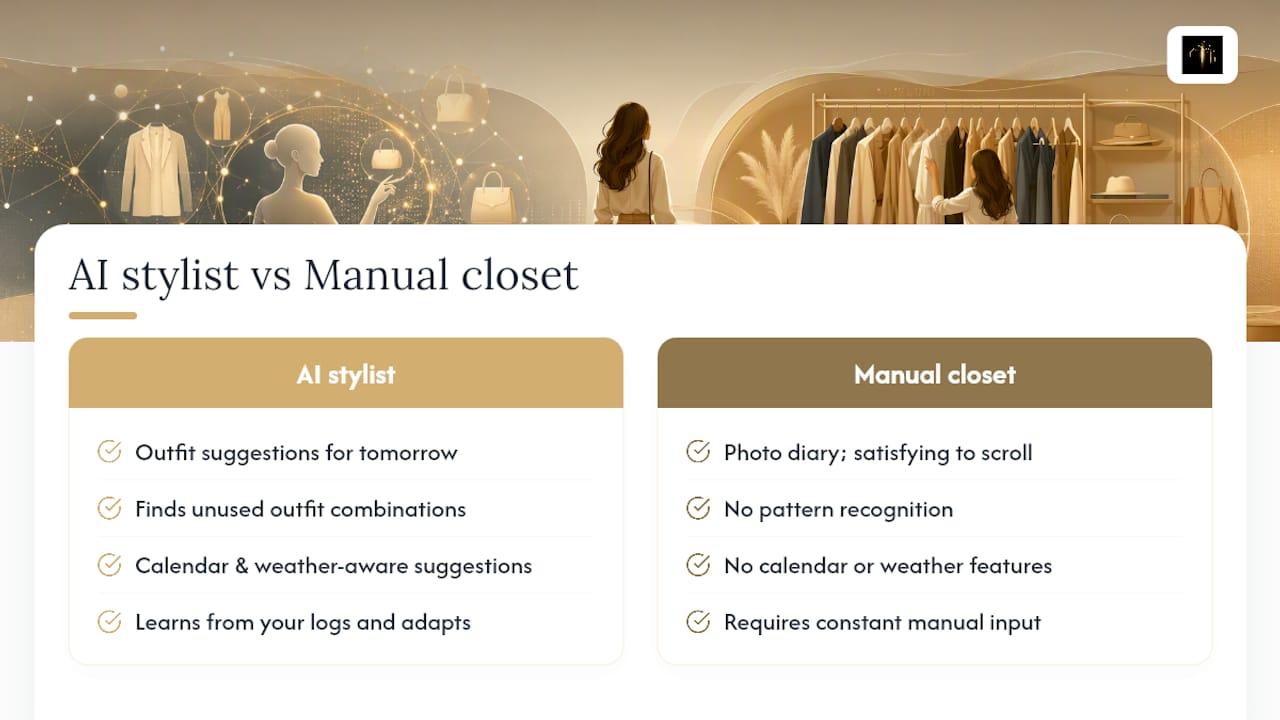
A photo diary of your outfits is satisfying to scroll through. But it doesn't tell you what to wear tomorrow when you're running late, and it doesn't notice that you've never once combined your navy blazer with your olive trousers even though they work perfectly together. That's where AI outfit generation earns its place. The real role of visual styling tools isn't nostalgia. It's pattern recognition at a scale you can't do manually.
Busy users, in particular, get disproportionate value from calendar planning and weather-aware suggestions. The app removes a small daily decision that, compounded over a year, adds up to real time saved. Mytenue's avatar try-on adds another layer: you're not just seeing a flat combination, you're seeing it on a body, which changes how you evaluate fit and proportion.
The apps that don't work long-term are the ones that require constant manual input without giving anything back. An AI stylist that learns from your logs and adapts its suggestions is a fundamentally different product from a digital closet you maintain yourself.
Mytenue: your AI stylist, ready when you are
Skip the morning wardrobe spiral. Mytenue gives you an AI personal stylist that knows your wardrobe, reads the weather, and builds complete outfits for any occasion, all from your phone or browser.
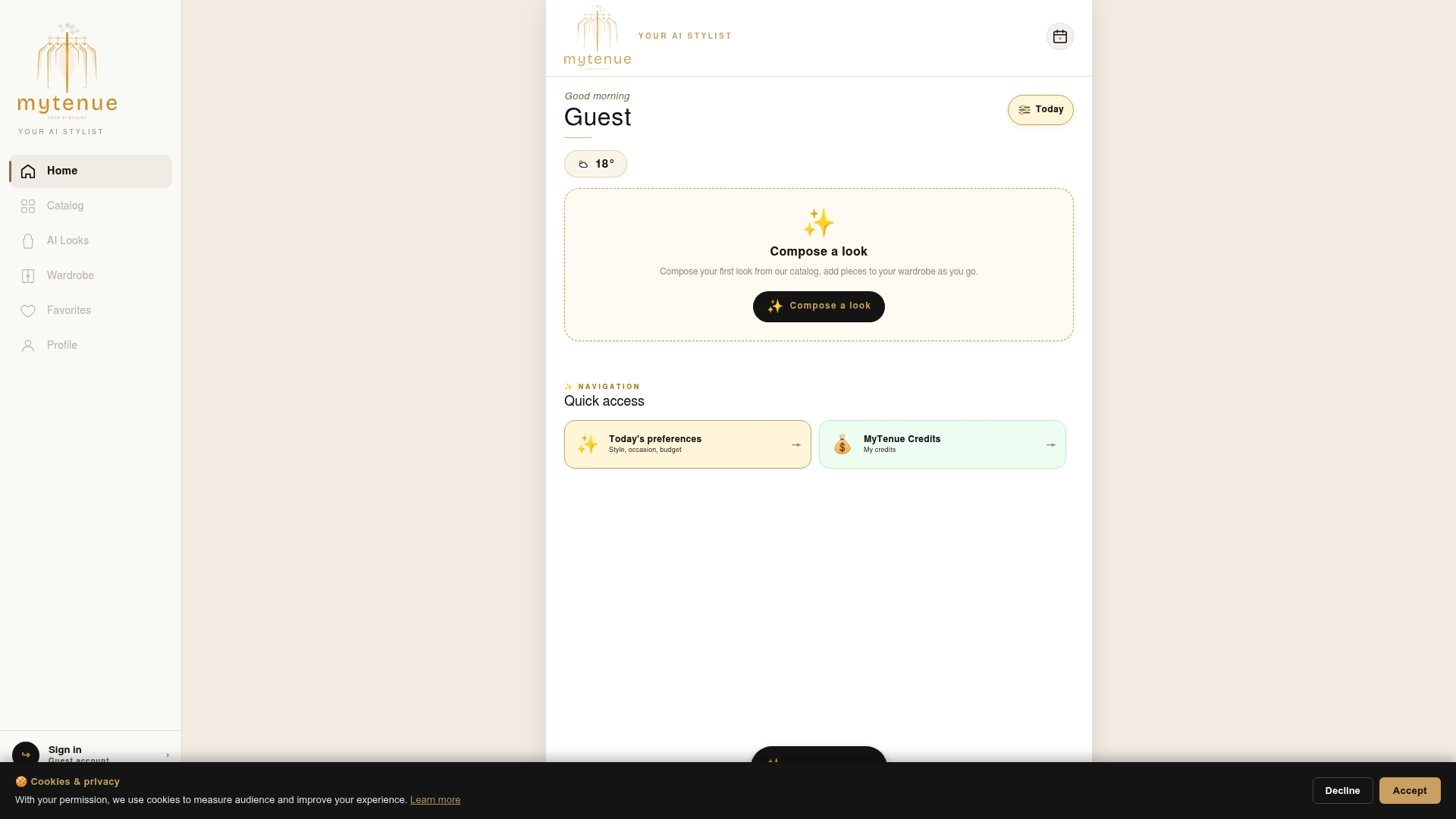
The free tier lets you import your first items and see AI suggestions with no commitment. Upgrade to a subscription for unlimited wardrobe storage, high-quality avatar try-on, and full calendar planning. The app is available on iOS and Android, with web access included. The interface runs in both English and French, and your data is covered by a clear privacy policy you can review before signing up.
Ready to see what your wardrobe can actually do? Download Mytenue and start with a small capsule import today.
Useful sources and support links
- support.apple.com
- policies.google.com
- myaccount.google.com
- support.google.com
- support.google.com
- support.google.com
- The Evolution of OOTD: Instagram, TikTok & Beyond | He Spoke Style
- What Is Interactive Outfit Planning? Your Style Guide