Use an AI-assisted outfit planner to plan your week in minutes, not an hour of closet standoffs every morning. Editorially, MyTenue is the recommended option because it digitizes your wardrobe, generates AI-matched looks, and schedules them on a calendar you actually check. A repeatable base-first framework turns outfit planning from a daily scramble into a five-minute weekly task, and this guide walks through exactly how.
Here's what you'll get out of this:
- What outfit planner apps actually do, beyond pretty screenshots
- A checklist for testing any app in under 20 minutes
- A repeatable, step-by-step method for planning a full week at once
- How to implement all of it inside MyTenue, starting today
Key Takeaways
An AI-assisted outfit planner works because it replaces daily wardrobe decisions with one short weekly planning session built on a repeatable base-first method.
| Point | Details |
|---|---|
| Batch your planning | Plan a full week in one sitting, ideally the same day weekly, to cut daily decision fatigue. |
| Use base-first sequencing | Choose bottoms or the main piece first, then layer tops, shoes, and accessories in order. |
| Test apps in under 20 minutes | Capture 10 items, generate 5 AI looks, and sync one to your calendar before subscribing. |
| Save and tag winning looks | Label combos by occasion, palette, and base piece to make rewearing fast and searchable. |
| Start with MyTenue | Digitize your wardrobe, generate AI outfits, and schedule them on MyTenue's calendar planner. |
Table of Contents
- What Does a Planificateur de Tenues Actually Do?
- How Do You Choose the Right Outfit Planner App?
- How Do You Plan a Week of Outfits Step by Step?
- What Features Separate a Good AI Planner From Marketing Fluff?
- How Do You Set This Up in MyTenue?
- Why the "More Clothes, More Options" Advice Is Backwards
- Plan Faster With MyTenue's AI Outfit Assistant
- Sources
What Does a Planificateur de Tenues Actually Do?
A planificateur de tenues, or outfit planner, digitizes your closet so an algorithm (not your tired brain at 7 a.m.) does the matching. Most serious apps handle five jobs: cataloging your items with photos, generating outfit combinations, scheduling looks on a calendar, factoring in weather, and letting you export or "pack" a look for travel.
The value shows up fastest in the morning. Instead of pulling five shirts off hangers and holding each one against the same jeans, you open the app and see Tuesday's outfit already assembled, weather-checked, and ready. That single change removes the most repetitive decision of the day.
- Wardrobe digitization: photograph or catalog items once, reuse them endlessly
- AI-generated combinations: the app suggests pairings you might not think to try
- Calendar scheduling: outfits attach to specific dates, not vague intentions
- Weather-aware suggestions: layers adjust automatically when the forecast shifts
- Rewear tracking: you see what's been worn, what's been ignored, and what's earning its space
Reduced decision fatigue is the real payoff. Saving a small rotation of "winning" combinations and reusing them on a schedule cuts daily decision load more than owning a bigger closet ever does. More clothes rarely means less stress. A smaller, well-tagged set of proven outfits usually does.
How Do You Choose the Right Outfit Planner App?
Not every app in this category does the same job well, and the gap between a decent tool and a frustrating one usually shows up in the first ten minutes of use. Judge candidates against six criteria before you commit to a subscription.
- Capture speed. How long does it take to add ten items to your digital wardrobe? Anything over a couple of minutes per item is a friction problem you'll feel every week.
- AI usefulness. Do the suggested outfits reflect your actual style, or does the app just throw random pairings at you and call it intelligence?
- Calendar export. Can you push planned looks into a calendar you already use, or does the app trap your plan inside itself?
- Privacy and storage. Is your wardrobe data stored locally, in the cloud, or both? This matters more once you've photographed your entire closet.
- Multi-device sync. Does your plan follow you from phone to laptop, or do you lose your week the moment you switch devices?
- Language support. If you work in French and English, does the interface actually support both without clunky translation?
The fastest way to judge an app honestly is a short, structured trial rather than a slow drift through the free tier. Testing an app for 10 to 20 minutes is enough to catch most dealbreakers before you ever hit the paywall.
Pro Tip: During your trial, capture exactly 10 items, generate 5 AI looks from them, and try syncing one to your calendar. If all three steps feel smooth in under 20 minutes, the app is worth a longer look.
There's a real trade-off between lightweight apps and full AI platforms. A bare-bones app might just store photos in folders, which is fast but offers no real planning intelligence. A full AI platform takes a bit longer to set up but pays that time back every single week through smarter, weather-aware, occasion-matched suggestions.
How Do You Plan a Week of Outfits Step by Step?
Planning outfits one day at a time is where decision fatigue comes from. Planning an entire week in one sitting, using a base-first method, is where it disappears. Batching your outfit decisions into a single weekly session saves real time and cuts the last-minute scrambling that turns mornings into a mess, and doing it on a fixed day, Sunday works well for most people, makes the habit stick.
Here's the five-step method, worth doing once a week:
- Review your calendar and the forecast. Check every meeting, event, and dress code for the week ahead, then pull up the weather. A gym session, a client dinner, and a rainy commute each demand something different, and you want to know about all three before you start choosing clothes.
- Pick your base piece first. This is the anchor of the base-first method: choose the bottom, dress, or main piece before anything else as explained in How to Build a Timeless Wardrobe – SVAL CPH. Locking proportions early prevents the common mistake of building an outfit around a top you love, only to realize nothing in your closet matches it.
- Layer up in order. Add the top, then outer layers, then shoes, then accessories, in that sequence. Apply a simple palette rule as you go: neutrals for the bulk of the look, one accent color to keep it from feeling flat.
- Run a comfort and practicality check. Ask whether the shoes can handle your actual day (a 20-minute walk feels different in heels than in sneakers), whether pockets or a bag can carry what you need, and what your backup swap is if the weather turns.
- Save and schedule. Tag the finished combo by occasion, palette, and base piece, then drop it onto the app's calendar for its specific day. This is what makes the outfit reusable next month instead of a one-time decision you have to repeat from scratch.
This structured sequence, built around occasion, base, palette, layers, shoes, and comfort, is what makes a planning session repeatable rather than a fresh negotiation every time.
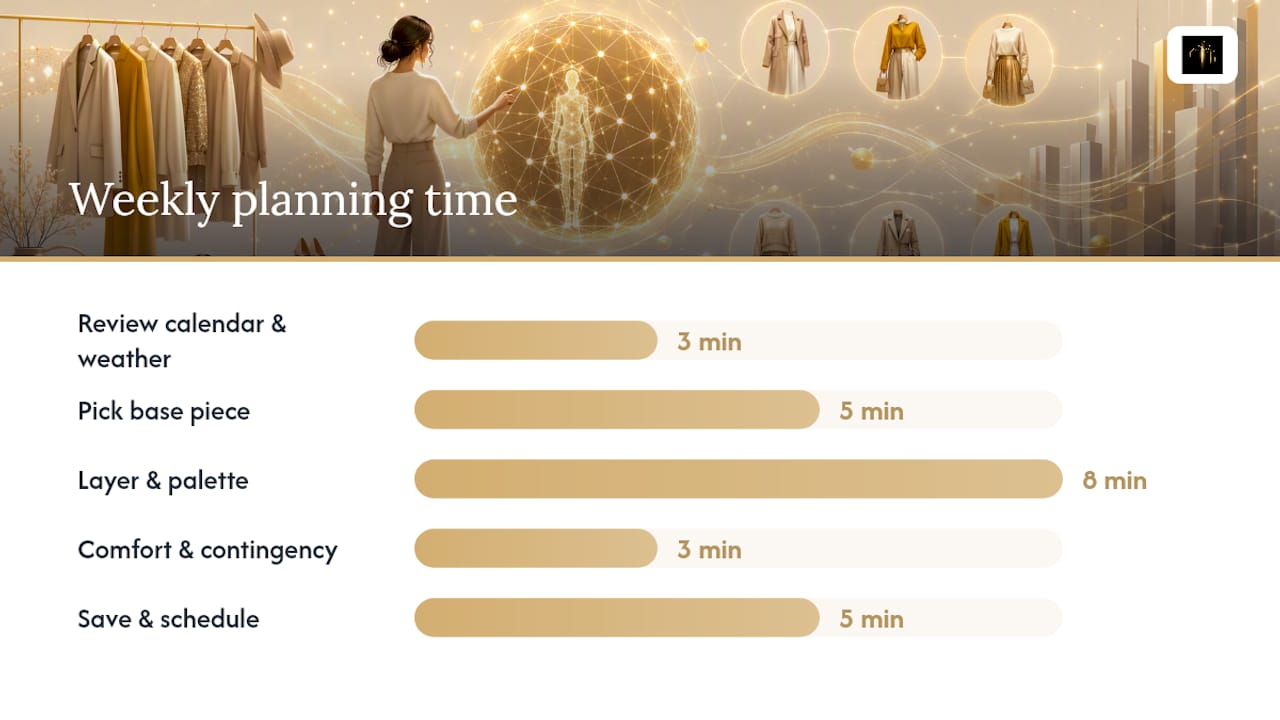
| Step | What you do | Estimated time |
|---|---|---|
| Review calendar and weather | Check events, dress codes, and forecast for the week | 3 minutes |
| Pick base piece | Choose bottoms or main piece for each day | 5 minutes |
| Layer and apply palette | Add top, layers, shoes, accessories with one accent color | 8 minutes |
| Comfort and contingency check | Verify footwear, storage, and backup swaps | 3 minutes |
| Save and schedule | Tag by occasion/palette/base and add to calendar | 5 minutes |
Total time: roughly 24 minutes for a full week, once your wardrobe is already digitized.
What Features Separate a Good AI Planner From Marketing Fluff?
A lot of apps in this space use the words "AI-powered" loosely. The real test is whether the suggestions actually reflect context, meaning occasion, weather, and your existing wardrobe, rather than just shuffling random combinations and calling it personalization.
- Context-aware AI suggestions: good AI accounts for the event on your calendar, not just the colors in your closet
- Wardrobe digitization method: single-photo capture for a full outfit is faster, while item-by-item entry with metadata (color, fabric, category) gives the AI more to work with, and each approach trades speed for accuracy
- Virtual try-on realism: an avatar that reflects your actual proportions matters more than one that just drapes clothes on a generic mannequin
- Calendar integration: reminders, saved looks, and export or packing features should sync without manual re-entry
- Cross-device sync: your plan should survive a switch from phone to laptop without gaps
- Data storage transparency: know whether your photos live locally, in the cloud, or both, especially once your entire wardrobe is cataloged
The gap between a flashy demo and a genuinely useful tool almost always shows up in the metadata. An app that just stores pictures is a digital shoebox. An app that understands fabric, color, and occasion compatibility is closer to an actual stylist.
How Do You Set This Up in MyTenue?
Here's the base-first method in action, using MyTenue as the working example rather than a hypothetical.
- Digitize your wardrobe first. Photograph or add your items into MyTenue's catalog, prioritizing the pieces you actually wear, not the ones sitting untouched at the back of the closet.
- Build a week plan. Use the calendar planner to block out your week's occasions, then let MyTenue's AI generate outfit suggestions for each day based on what you've digitized.
- Try before you commit. Use the virtual try-on feature with your personal avatar to see how a suggested combination actually looks on your body shape before you get dressed.
- Save your winning looks. When an outfit works, tag it by occasion, palette, and base piece, the same system proven to make rewearing fast and searchable, then let it live in your saved rotation.
- Lean into sustainability. Instead of buying new pieces for every occasion, MyTenue's suggestion engine is built to mix items you already own with new pieces only when a genuine gap exists, which supports smarter wardrobe upgrade decisions over impulse purchases.
A small, tagged rotation of proven outfits does more for your mornings than a packed closet ever will. The goal isn't more clothes. It's fewer decisions about the clothes you already have.
For readers who want a deeper method breakdown before diving in, time-saving outfit planning tips and a workweek checklist for busy professionals both expand on the same base-first logic used here, adapted for readers juggling packed calendars.
Why the "More Clothes, More Options" Advice Is Backwards
Most wardrobe advice assumes the problem is scarcity: not enough clothes, not enough combinations, not enough variety. The evidence points the other way. A small, structured rotation of saved combinations beats a stuffed closet almost every time, because the fatigue isn't about supply. It's about the number of decisions you force yourself to make from scratch.
What gets underestimated is the calendar step. People treat outfit planning as a styling problem, but it's really a scheduling problem wearing a styling costume. Once a look is tagged and dated, the "what do I wear" question disappears entirely, because the decision already happened, days earlier, when you had more mental bandwidth to make it well.
Where I'd push back on conventional advice: stop trying to build the "perfect" capsule wardrobe before you start planning. Digitize what you own, generate a few AI looks, and save the ones that work. The system improves through use, not through a flawless starting inventory.
— Ahmed
Plan Faster With MyTenue's AI Outfit Assistant
MyTenue skips the manual matching entirely. Instead of scrolling style guides or rebuilding the same five outfits from memory every week, you get an AI stylist that digitizes your closet once and then does the pairing for you, weather-adjusted, occasion-matched, and ready on your calendar before Monday arrives.
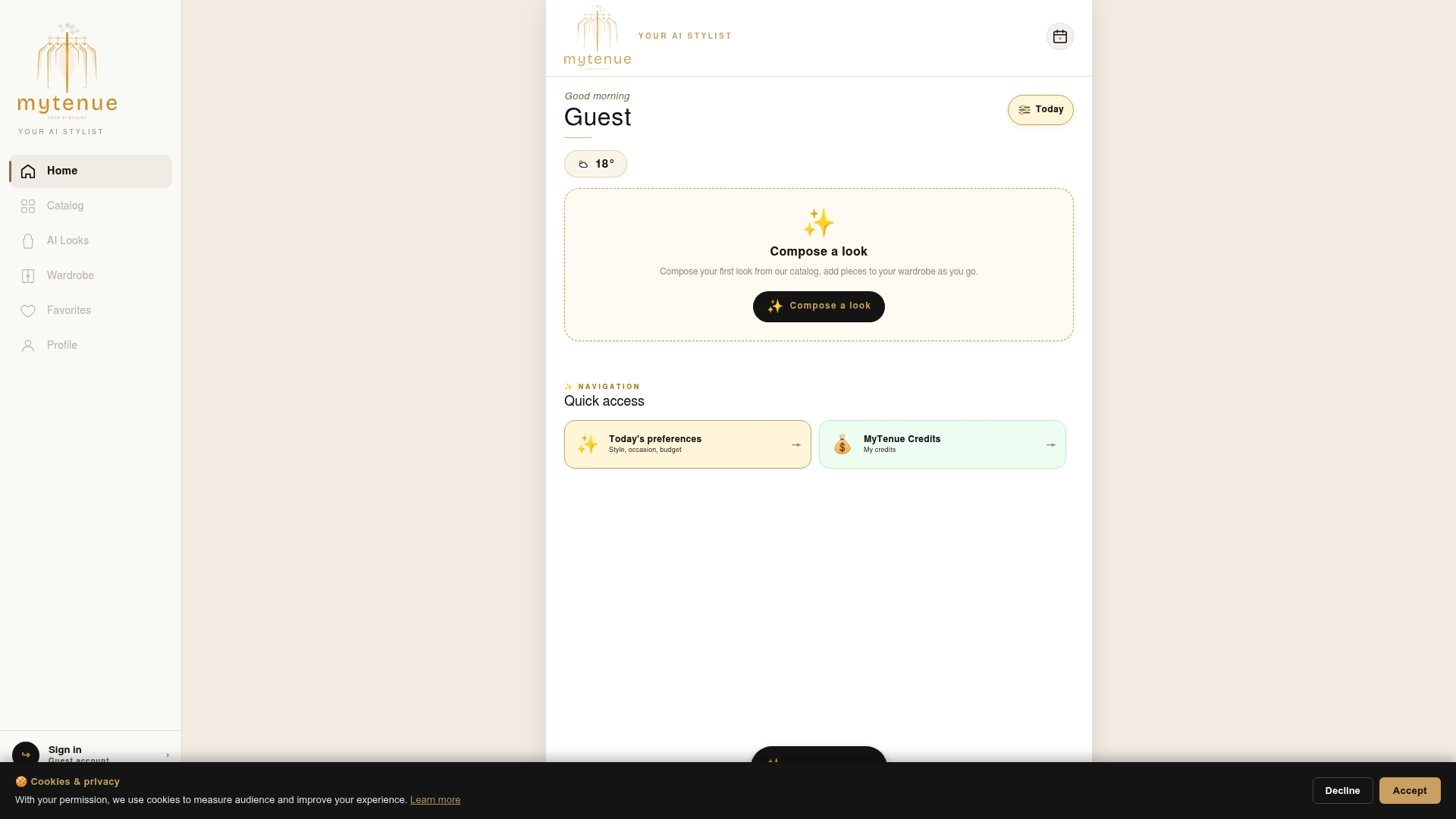
That matters most for the reader who just finished this guide: you now know the base-first method, but doing it by hand every Sunday is still a chore. MyTenue automates the parts that take the longest, cataloging items, generating combinations, checking them against your calendar, while leaving the final call to you through virtual try-on with your personal avatar. The premium catalog and loyalty credits also mean gaps in your wardrobe get filled with purpose, not impulse. If you're ready to see your week planned in minutes instead of hours, start with MyTenue and digitize your first ten pieces today.