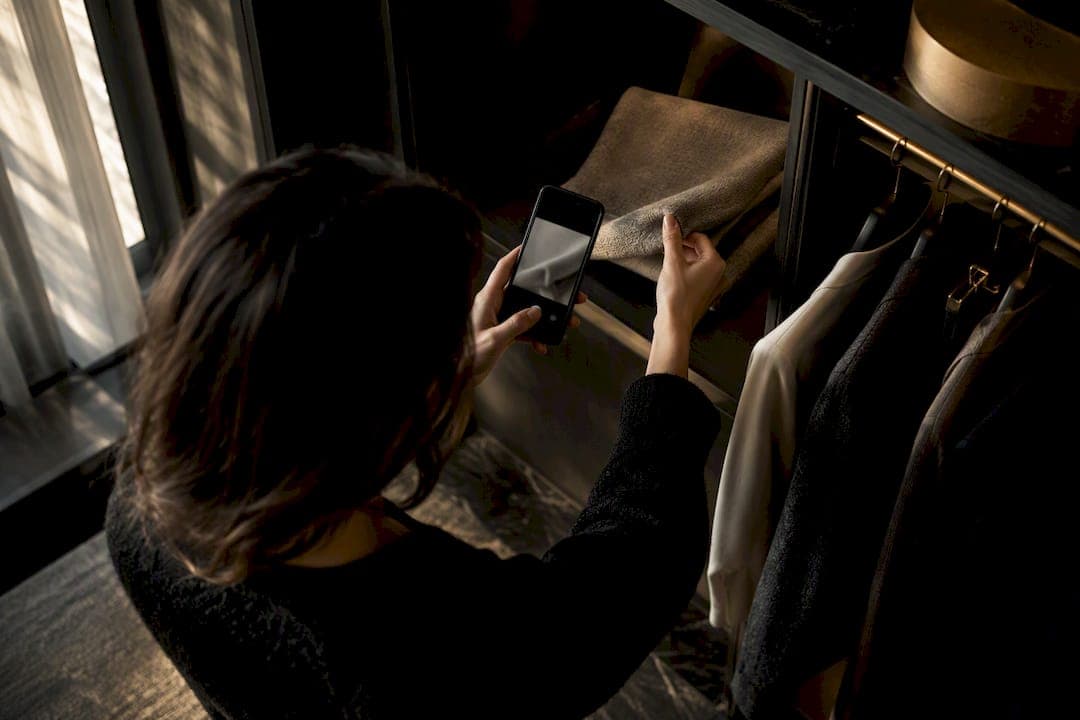
Digitizing your wardrobe means photographing every garment you own to build a searchable, taggable catalog you can use for daily outfit planning. The fastest way to start: scan 10 to 15 of your most-worn pieces this week, tag them by category and color, and let that small set prove the payoff before you catalog everything else.
TL;DR:
- Digitizing your wardrobe exposes product redundancy, helping you realize you own more of certain items than you thought and reducing unnecessary purchases.
- Tagging at least category and color during the initial scan significantly improves AI-powered outfit suggestions and outfit-building accuracy.
- Using natural light and plain backgrounds for photos ensures consistent, high-quality images that help maintain accurate color detection and catalog reliability.
- Regularly updating your catalog by adding new items immediately and removing or re-tagging old ones keeps the wardrobe relevant and reduces long-term clutter.
- Connecting your digital wardrobe to resale platforms simplifies listing unused items and supports extending garment lifespan, ultimately reducing clothing waste.
Table of Contents
- What does it mean to digitize your wardrobe?
- How do you build a wardrobe catalog in one sitting?
- What's the best way to photograph clothes for an app?
- What tags actually make a wardrobe catalog searchable?
- How do you turn a digital wardrobe into daily outfits?
- Is it safe to upload clothing photos to an AI app?
- Can a digital wardrobe connect to shopping and resale platforms?
- How do you keep a digital wardrobe up to date?
- How does wardrobe digitization reduce clothing waste?
- Where should you back up your wardrobe photos?
- Lessons from watching people digitize their closets
- Turn your scanned wardrobe into outfits with Mytenue
- Sources
- FAQ
What does it mean to digitize your wardrobe?
Numériser sa garde-robe is the practice of turning physical clothing into a digital inventory: one photo per item, organized by tags like category, color, and season, stored in an app or cloud folder you can search anytime. It's the same logic as a librarian cataloging books, except the "books" are your jeans, blazers, and sneakers. Once cataloged, that inventory becomes fuel for outfit suggestions, capsule planning, and packing lists.
The benefits stack up fast. Style consistency improves because you can see your entire closet on one screen instead of digging through hangers. Time savings show up every morning when outfit decisions take seconds instead of ten minutes of trial and error. And the sustainability angle is bigger than most people expect.
ADEME's research on compulsive shopping found that people who self-report their wardrobe size guess around 79 garments, but home visits count an average of 175 per person. A significant portion of those clothes sit unused for long stretches. A digital catalog exposes that gap immediately: you see the shirt you forgot you owned instead of buying a near-identical one.
Structured data is also what makes AI-generated outfit suggestions useful in the first place. A styling algorithm can't recommend combinations it doesn't know exist, which is why tagging matters as much as the photo itself.
Quick wins from digitizing:
- See your full inventory in one place instead of guessing what's clean or in season
- Rediscover dormant pieces instead of rebuying similar items
- Build capsules and test combinations without physically pulling clothes out
- Feed clean, tagged data to styling apps for genuinely relevant suggestions
The dormant-clothing gap: ADEME found that observed wardrobes average 175 garments per person versus 79 self-reported, with over half sitting unused. Digitizing closes that blind spot in one afternoon.
How do you build a wardrobe catalog in one sitting?
You don't need to scan your entire closet in one go. Pick a scope you can finish in under two hours, then expand later.
Start with either 10 to 20 core items or a full workweek capsule (five tops, three bottoms, two pairs of shoes, one layering piece). That scope is big enough to be useful for outfit planning right away and small enough that you won't quit halfway through.
Gear needed is minimal: your phone, a plain wall or bedsheet for a background, and a window with natural daylight. No lightbox, no tripod, no separate camera.
- Set up your space (5 minutes). Pick a spot near a window, hang a plain sheet or use a bare wall, and shoot mid-morning or late afternoon when light is soft.
- Capture each item (30 to 45 minutes for 15 to 20 pieces). One photo per garment, same angle, same distance, consistent framing throughout.
- Apply basic tags (20 to 30 minutes). Category, color, and season are the non-negotiables; everything else can wait.
- Back up the batch (5 minutes). Sync to cloud storage or export a copy before you touch anything else.
- Run a privacy check (10 minutes). Confirm the app's data policy before granting camera-roll access to anything.
Batching this way, most people finish a functional starter catalog in under two hours, especially when working in sessions of 15 to 30 items rather than trying to do the whole closet at once.
Pro Tip: Scan your most-worn 10 items first, not your newest or fanciest ones. The point is to fix daily decision fatigue immediately, not to admire your best blazer on screen.
If you want a longer runway with built-in milestones, this 14-day scanning plan breaks the same process into smaller daily chunks.

What's the best way to photograph clothes for an app?
Good lighting and a clean background do more for photo quality than any camera upgrade. Natural window light beats overhead bulbs every time. It's diffuse, it's free, and it renders color accurately, which matters when an app is trying to tell navy from black.
Shoot against a plain, light-colored backdrop: a bare wall, a folded sheet, or the back of a closet door. Avoid patterned bedspreads or cluttered rooms behind the garment. Shadows are the enemy of a clean catalog photo, so shoot with the light source in front of or beside the item, never behind it.
Different garment types need different handling:
- Tops and dresses: hang on a door hook or lay flat, smoothed out, shot straight on from above or at eye level.
- Bottoms: lay flat with legs straightened, or hang if you want to show drape and length.
- Shoes: shoot a pair together, one side profile and one straight-on, especially for anything with a distinctive sole or heel.
- Small accessories: photograph against a plain surface, close enough that texture and hardware are visible.
Flat-lays are fastest for batch work and give a consistent look across your whole catalog. Hanger shots preserve drape better for dresses and structured jackets. Worn-on-a-person shots take longer but give AI styling tools the clearest read on fit and proportion, so it's worth doing for a handful of key pieces even if you flat-lay the rest.
Keep framing consistent across the whole session: same distance, same angle, same background. Name your image files by category and color as you go (for example, "top_navy_wool_01") rather than leaving them as generic camera-roll numbers. It saves real time later when you're tagging in bulk.
Pro Tip: Shoot everything in one lighting session if you can. Switching rooms or times of day mid-batch creates a catalog with mismatched tones, which makes color-based outfit filters less reliable.
What tags actually make a wardrobe catalog searchable?
A catalog with photos but no structure is just a photo album. Tags are what turn it into a tool.
Seven fields cover almost every use case: category (top, bottom, dress, shoe, accessory), color, season, occasion, size, fit notes, and condition. Category and color are the two that power the most filters, so prioritize them if you're short on time. Occasion tags (work, casual, formal, athletic) are what let an outfit-planning tool actually understand context instead of just matching colors.
Most apps offer auto-fill suggestions after the first photo, guessing category and color from the image. Accept the suggestion when it's right, correct it when it's wrong, and move on. Don't over-edit every single tag on the first pass. A rough catalog you finish beats a perfect catalog you abandon on item 40.
Practical tagging fields worth setting up from day one:
- Category and subcategory (top → blouse, bottom → jeans)
- Color (primary and secondary if the piece is patterned)
- Season or weather range (summer, transitional, cold weather)
- Occasion (work, weekend, formal, workout)
- Size and fit note (true to size, runs small, needs tailoring)
- Condition (like new, worn, needs repair)
Bulk editing matters once you pass 30 or 40 items. Group by category first, apply shared tags (season, condition) across the whole group, then go back and adjust color and occasion individually. Keep naming conventions consistent, singular categories, lowercase colors, so search and filters behave predictably as the catalog grows.
How do you turn a digital wardrobe into daily outfits?
A catalog only pays off once you start building outfits from it, not just browsing it.
- Create outfit sets from existing tags. Combine a tagged top, bottom, and shoe into a saved "look," then pin your favorites to a calendar for the week ahead.
- Run a Project 333 test. Project 333 caps you at 33 items for three months; a separate, simpler version, the 3x3x3 rule (3 tops, 3 bottoms, 3 shoes), generates up to 27 outfit combinations on its own. Use your catalog to select the 33 or 9 items and track which combinations you actually repeat.
- Assemble a 7-day workweek capsule. Pull five tops, three bottoms, two shoes, and one layering piece from your scanned items, then use the outfit-builder to generate combinations you hadn't considered.
- Flag repair or resale candidates. Sort your catalog by "condition" and pull anything tagged worn or needs repair into a separate list for mending or selling instead of letting it sit dormant.
This is where digitization stops being a filing exercise and starts changing behavior. Seeing 27 possible combinations from nine pieces makes the case for a smaller, more intentional wardrobe far better than any minimalism blog post. For a deeper walkthrough of building a capsule from scratch, this student capsule guide and this workweek planning checklist both work from the same core idea. The Modern Day Knight guide to identity-driven capsules is also worth a read if you want a more philosophy-first take on paring down.
Is it safe to upload clothing photos to an AI app?
Check the privacy policy before you upload anything, not after. Clothing photos seem harmless, but they're still personal data, and some apps use uploaded images to train their models by default.
The CNIL's guidance on informing data subjects requires providers to disclose the identity of the data controller, the purpose of processing, retention periods, who else receives the data, and how to exercise your rights, including deletion. If an app's policy is vague on any of those points, treat that as a red flag rather than fine print to skim past.
Before granting camera-roll access, verify:
- Whether uploaded photos are used to train the app's AI models, and whether you can opt out
- How long images are retained and whether you can export or delete your catalog on demand
- Who the data controller is and whether there's a listed contact (often a Data Protection Officer)
- Whether the app supports local or on-device storage as an alternative to cloud-only sync
The CNIL's AI transparency checklist specifically flags reidentification risk and model-training transparency as points every AI-driven app should address clearly, not bury in a 40-page terms document. A quick scan of an app's privacy page before your first upload takes two minutes and saves a lot of regret later. If you're evaluating a styling app specifically, this rundown of AI wardrobe privacy practices walks through what good disclosure looks like in practice.
Can a digital wardrobe connect to shopping and resale platforms?
A well-tagged catalog is genuinely useful for buying and selling smarter, not just organizing what you already own.
Before adding anything new, search your digital catalog by category and color first. If you already own three navy sweaters, that's your answer before you open a shopping app. Some styling platforms take this further by suggesting new purchases that fill an actual gap in your tagged inventory, a beige blazer, say, instead of another item you don't need. That's a meaningfully different approach than generic product recommendations based on browsing history alone.
On the resale side, your catalog photos and condition tags do double duty. An item already photographed against a clean background and tagged with size and condition is halfway to a resale listing. Sorting by "worn" or "rarely used" tags surfaces resale candidates in minutes instead of requiring a full closet audit before you list anything.
The two directions reinforce each other. Fewer unnecessary purchases because you can see what you own, and faster resale of what you don't wear, both stem from the same underlying catalog. Given that more than half of clothing sits unused for long periods according to ADEME, that resale pipeline alone can be worth the initial scanning effort.
How do you keep a digital wardrobe up to date?
A catalog that goes stale the month after you build it isn't much better than no catalog at all. The fix is a light routine, not a big one.
Add new purchases the same day you buy them, ideally before the tags come off. It takes under a minute per item and prevents a backlog of "I'll scan those later" pieces that never gets scanned. Set a recurring seasonal check, quarterly works well, to remove items you've donated, sold, or worn out, and to re-tag anything that's moved from "current" to "storage."
Watch your data for behavioral signals, too. If your catalog shows the same 15 items getting worn on repeat while 80 others sit untouched, that's useful information, not just clutter. It tells you exactly which pieces to prioritize for resale and which categories you're genuinely light on.
Bulk cleanup sessions work better than trying to keep everything perfect in real time. Set aside 15 minutes once a season to fix mistagged items, delete duplicate photos, and update condition tags for anything that's started showing wear. A wardrobe catalog is a living document, not a one-time project, and treating it that way is what keeps it useful past month two.
How does wardrobe digitization reduce clothing waste?
The connection between digitizing and reducing waste isn't abstract. It comes down to a simple mechanism: you can't repeat-wear an item you've forgotten you own, and ADEME's data shows that's exactly what's happening at scale, with over half of garments sitting dormant in the average household.
A searchable catalog puts every forgotten piece back in front of you every time you plan an outfit. That alone tends to increase how often existing clothes get worn, which directly addresses the dormant-clothing problem instead of just describing it.
Digitization also supports garment longevity in a more direct way. Sorting your catalog by "condition" surfaces items that need a repair, a missing button, a loose hem, before you write them off. ADEME's guidance on extending garment durability points to washing less frequently and repairing rather than replacing as two of the highest-impact habits for reducing textile waste. A tagged catalog makes both easier to act on, because you actually know what condition each item is in instead of guessing from memory.

The resale angle closes the loop. Items you've outgrown, stylistically or literally, get identified and moved out through resale instead of forgotten in the back of a closet until they're donated in bulk or thrown away.
Where should you back up your wardrobe photos?
Losing a catalog you spent hours building is a frustrating way to learn about backups the hard way. Plan for redundancy from the start.
Cloud storage is the simplest baseline. Whatever styling app you use should sync your catalog automatically, but don't rely on a single service as your only copy. Google Photos' Collections feature lets you group garment photos into a dedicated wardrobe view directly on your device, which works as a lightweight secondary backup even if your primary catalog lives in a separate app.
Export options matter more than people expect until the day they need to switch apps or recover from a lost phone. Before committing to any platform, check whether it lets you export your full catalog, photos and tags together, rather than locking your data inside its own ecosystem.
A reasonable backup routine: sync to cloud storage automatically, export a local copy every few months, and keep at least one backup outside your primary styling app. That's three points of failure you'd need to hit simultaneously to actually lose your catalog, which is about as much protection as a wardrobe photo collection realistically needs.
Lessons from watching people digitize their closets
The most consistent pattern in how people actually use a digitized wardrobe isn't the tagging discipline or the photo quality. It's what happens to their buying habits within a few weeks. People who catalog even a partial wardrobe start reaching for pieces they'd forgotten, and impulse purchases for "basics" drop off, because the app answers the question a browsing habit used to answer: do I already own something like this?
Digitization also does something quieter but arguably more valuable: it surfaces repair and repurpose opportunities nobody thinks to look for on their own. A torn lining or a missing button doesn't register when a garment is buried in a drawer. It registers instantly when the item sits in a tagged list next to a "condition" field.
The gap between people who treat this as a one-time organizing project and people who treat it as an ongoing habit is the real dividing line. The former get a tidy photo album. The latter get a genuine decision-making tool that changes what they buy, wear, and keep.
— Ahmed
Turn your scanned wardrobe into outfits with Mytenue
Mytenue is built specifically to take the catalog you just created and turn it into outfits, not just a photo library. Where a generic photo app stops at storage, Mytenue's AI stylist reads your tagged items and generates full looks, factors in the day's weather, and even lets you preview an outfit on your own avatar through virtual try-on before you commit to wearing it.
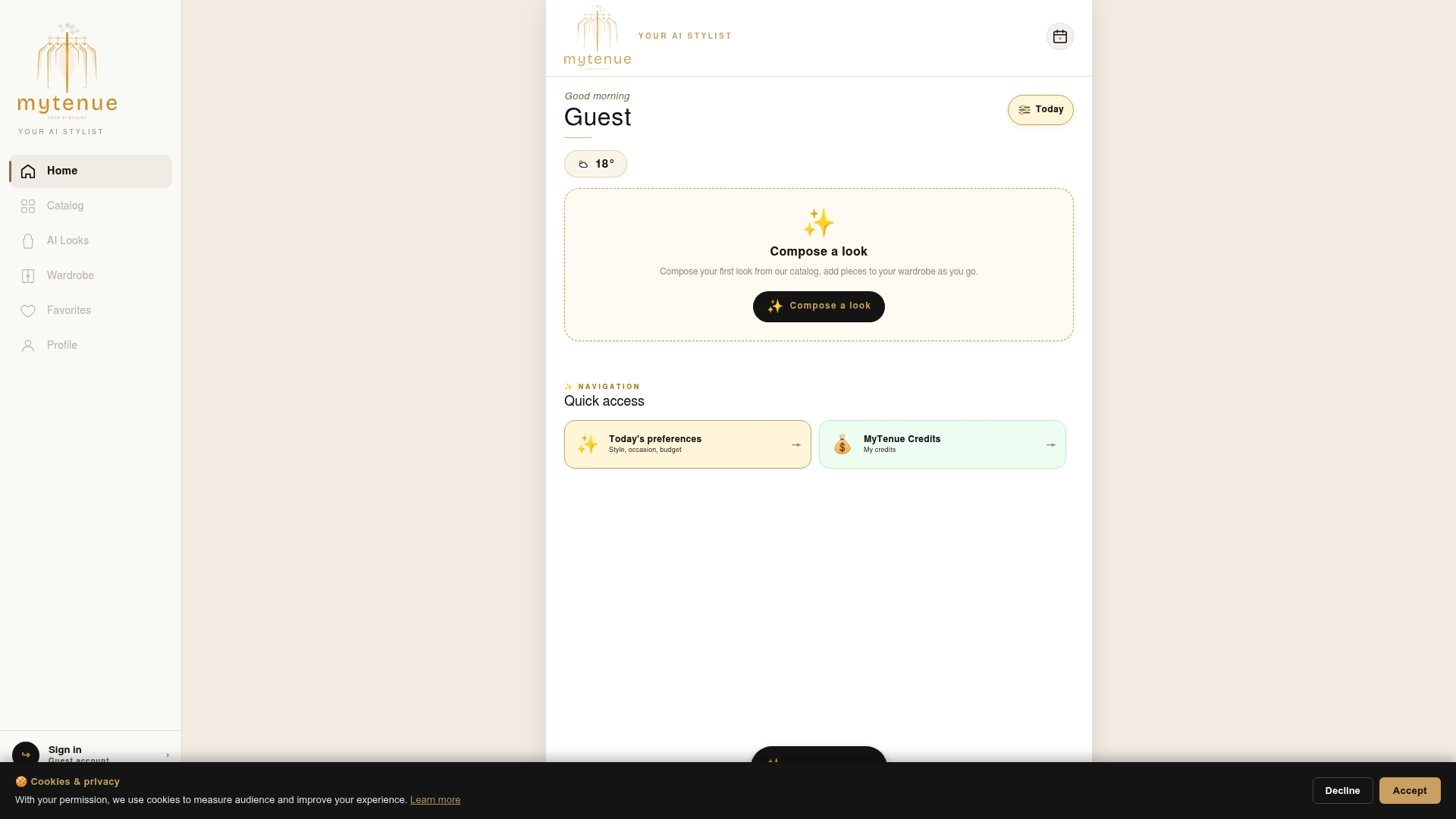
Getting started follows the same quick-start scope covered earlier: scan 10 to 15 items, let the app suggest categories and colors, and see your first AI-generated outfits within minutes. From there, the calendar feature lets you plan looks for the week ahead, and the bilingual French and English interface means the whole workflow works whether you're switching between languages day to day. A free plan gets you started with core scanning and outfit tools, with options to upgrade as your catalog grows and you want deeper styling features. Head to the Mytenue app page to start your wardrobe today.
Sources
- CNIL — Informing data subjects when AI is used
- ADEME — Shopping compulsif: the facts and figures
- The 333 rule is my go-to clothing travel hack (Reddit)
- Google Photos Help — Create a wardrobe
FAQ
What app can I use to organize my wardrobe?
Several apps let you photograph and catalog clothes, but the useful ones go beyond storage to generate outfits from your tagged items. Mytenue does this by combining wardrobe cataloging with AI-generated looks, virtual try-on, and calendar planning, with a Free tier available on the app page to start.
What is the 3-3-3 rule for clothes?
There are two versions in common use. The 3x3x3 minimalist approach uses 3 tops, 3 bottoms, and 3 shoes to create up to 27 outfit combinations, while Project 333 limits your entire wardrobe to 33 items worn over three months. Both work well as a structured test once your closet is digitized and tagged.
What app can I use to identify my clothes?
Most wardrobe apps auto-categorize items by color and type once you upload a photo, letting you confirm or correct the suggested tags. Google Photos also offers a built-in Collections feature that creates a wardrobe view directly from photos already on your device.
Is it possible to see through clothes in photos?
No credible clothing-cataloging app or AI styling tool offers this capability, and any service claiming to is not a legitimate wardrobe tool. Standard garment photography for cataloging purposes only captures the visible exterior of an item, the same as any product photo.
How long does it take to digitize a wardrobe?
Scanning 15 to 20 items in one focused session typically takes one to two hours, including photography and basic tagging. Working in batches of 15 to 30 items per sitting, rather than attempting a full closet at once, makes the process far more sustainable to finish.