
A 3D avatar try-on lets you see clothes on a digital version of your body before you wear or buy them. You create the avatar once, from measurements or a photo. Then you dress it with outfits, as many times as you like. In the Mytenue app, your avatar becomes a personal mannequin you can style from your own wardrobe.
This guide explains how the technology works, the ways to create a fashion avatar, how far you can trust the result, and what to check on privacy in France.
TL;DR
- A fashion avatar is a digital body model. Try-on software drapes digital garments on it so you can judge fit and style.
- You can build one from measurements, a photo or a phone scan. Create it once, reuse it for every outfit.
- Treat the preview as a guide, not a guarantee. Photo-based estimates rely on approximations of body geometry.
- In France, height, weight, measurements and photos are personal data. Check purpose, deletion and storage before you upload.
- Mytenue offers try-on on your personal mannequin plus flat-lay previews, on iOS and Android.
Table of Contents
- What a 3D fashion avatar is and how try-on works
- Three ways to create a fashion avatar
- What you need on Android or iOS
- Trying outfits on your avatar
- How accurate is a 3D avatar?
- Privacy: what to check before you upload
- Start with Mytenue
- From avatar to everyday outfits
- FAQ
- Sources
What a 3D fashion avatar is and how try-on works
A fashion avatar is a digital double of your body. It carries your proportions: height, shoulders, waist, hips, legs. Try-on software then places a digital garment on it.
France Num, the French government's digital support program for businesses, separates three approaches:
- Cross-checking your height, weight, body shape and the garment's measurements to recommend a size.
- Showing the garment on a mannequin with a body type close to yours.
- Using a camera or a photo to overlay the garment digitally on you.
The 3D avatar sits between the second and third. It is a mannequin built for you, not a generic one.
Under the hood, virtual try-on combines machine learning, augmented reality and 3D modeling to place clothing on a digital body. An academic review describes three stages: generating the 3D garment, reconstructing the avatar, and transforming the garment to fit the body. Older research relied on physics-based simulation. Newer models have started using neural networks, which is why results now look far more natural.
Why the avatar alone is not enough
The European eTryOn project makes a useful point: an avatar's value is not only its look. It must be combined with digitized garments and a simulation of how they interact with the body, to show fit and movement. A good try-on needs both halves: a believable body and believable clothes.
That is why wardrobe digitization matters. When your own pieces are in the app, you are not guessing how a generic shirt looks. You are seeing your shirt, with your trousers, on your shape.
Three ways to create a fashion avatar
There is no single method. Each trades effort for precision.
| Method | What you provide | Effort | Best for |
|---|---|---|---|
| Measurements | Height, weight, key body measurements | Low, a few minutes | Quick start, consistent proportions |
| Photo | One or two full-body photos | Low | Fast preview, casual styling |
| Phone or booth scan | Multi-angle capture, sometimes a helper | Medium to high | Most faithful body shape |
From measurements
You type in your numbers and the system builds a body from them. It is the simplest route and the one that asks the least of your camera or your privacy. The tradeoff: the result is only as good as the tape measure. Measure over thin clothing, keep the tape snug but not tight, and repeat a measurement if it looks off.
From a photo
A full-body photo lets software estimate your proportions. Some apps ask for a front and a side view, plus your real height so the system can scale everything. TerzyApp, for example, explains that front and profile shots, after entering your real height, allow an estimate of 32 measurements on iPhone, and extra angles can refine the profile.
For good photos:
- Stand straight, arms slightly away from the body.
- Wear fitted clothes, not a puffer jacket.
- Use even daylight and a plain background.
- Hold the phone at chest height, not tilted.
From a scan
Scanning captures many angles. A smartphone version usually needs a second person who walks around you with the camera at about a meter's distance; a French maternity studio describes exactly this flow, with several angles then processed into a 3D model. At the other end, dedicated booths exist. A French technical sheet for one such cabin lists 20 sensors and 360-degree coverage, with measurements extracted following the ISO 8559 standard. That is professional equipment, not something you need at home.

The eTryOn project describes the consumer path: a self-scanning app generates a personal, dressable 3D avatar from data you capture yourself.
What you need on Android or iOS
You do not need special hardware. A recent smartphone with a working camera is enough for photo-based creation. Before you start:
- Charge your phone and clean the lens.
- Pick a room with space to step back two or three meters.
- Know your height and weight, and ideally two or three measurements (chest, waist, hips).
- Keep a stable connection, since rendering may happen on a server.
- Have your clothes at hand if you want to digitize pieces right after.
Mytenue runs on iOS and Android, with mobile and web access and a French and English interface. You can download the app here.
Trying outfits on your avatar
Once your avatar exists, the interesting part begins. You pick pieces, combine them and look at the whole outfit on your mannequin instead of imagining it.
A simple routine:
- Choose the occasion: office, dinner, weekend, trip.
- Start from one anchor piece you love.
- Add a top or bottom from your wardrobe, then a layer.
- Check the silhouette: proportions, length, color balance.
- Swap one item and compare.
- Save the look to your calendar for the day you need it.
The flat-lay view is the companion tool. It lays the pieces out as an editorial image, the way a stylist would on a bed or a table. Try-on tells you how it looks on you. Flat-lay tells you whether the pieces work together as a set. Using both catches problems early: a clashing texture shows in the flat-lay, an awkward length shows on the avatar.
For a deeper look at the idea, read what your avatar changes in outfit decisions.
Using what you already own
The cheapest outfit is the one you already have. Digitize eight to twelve pieces first: a few tops, bottoms, shoes and one or two layers. That small set generates a surprising number of combinations. Our guide on digitizing 8 to 12 pieces and the CNIL rules walks through it, and the advice on photographing clothes for AI try-on covers the four angles that work best.
For students and busy parents, this is the real saving. You stop buying a fifth black top because you forgot you had three. When you do buy, you buy something that already pairs with several pieces you own.
How accurate is a 3D avatar?
Useful, yes. Exact, not always.
The academic review notes that image-based 2D try-on gives an estimated visual preview and can produce inaccurate body estimates, because it relies on approximations of body geometry. Fully 3D approaches handle the body better, but quality still depends on your input and on how well the garment was digitized.
So what should you trust the preview for?
- Proportion and balance: yes. Does a cropped jacket with high-waisted trousers work on your frame?
- Color and style pairing: yes. This is where AI analysis of color, fabric, style and occasion helps most.
- Exact fit at the millimeter: treat it as indicative. Fabric stretch, cut and your posture all play a part.
France Num is clear on the legal side too: a size recommendation should be presented as indicative, not as a contractual guarantee. Read it the same way when you use any try-on.
To get the most from it:
- Recreate your avatar when your body changes noticeably.
- Compare the avatar's look with a garment you own and know well. If the avatar flatters your jacket the way the mirror does, calibration is good.
- Check the brand's size chart for any purchase. Our guide on avoiding size regret in virtual try-on gives six steps.
- Judge rendering quality with the six fidelity checks before trusting a preview.
Privacy: what to check before you upload
Your body is personal. In France, you have strong rights over it.
France Num reminds businesses that height, weight, measurements and photos are personal data. The provider must explain the purpose, limit what it collects, let you delete your data, secure access and supervise its subcontractors. Some body-image analyses may even count as biometric data under the GDPR.
The CNIL, the French data protection authority, states that the GDPR applies to personal data processed for or by AI systems. It also stresses that biometric templates, which uniquely identify people from photographs, are particularly sensitive data requiring strict compliance.
A short checklist before you upload anything:
- Purpose: does the app say clearly why it needs your photo or measurements?
- Minimum: does it ask only for what try-on requires?
- Deletion: can you delete your avatar and photos from the account?
- Reuse: is your data kept for other purposes? Read the policy, not only the button.
- Your own photos: shoot at home, with no one else in the frame and no identifiable background.
Create your avatar once and reuse it. That keeps the number of uploads low, which is better for privacy and for your time.
Our view: your avatar is a styling tool, not a verdict
We built Mytenue around one idea: getting dressed should feel easier, not harder. Most people do not lack clothes. They lack a clear view of what they already own and how it combines.
That is why we start from your wardrobe. Your personal mannequin lets you try a look before you commit. Flat-lay images show the outfit as a set. AI checks color, fabric, style and occasion, and weather-based suggestions adapt the look to the day.
We see the avatar as a creative companion. It helps you decide faster, reuse more and buy with intent. We designed it to make personal styling accessible, every morning, without the stress.
Ahmed
Start with Mytenue
Mytenue is your AI stylist in your pocket. Digitize your wardrobe, create your mannequin, try outfits on, preview flat-lays and plan your week in the calendar. Suggestions adapt to the weather. The interface is available in French and English, on iOS, Android and the web.
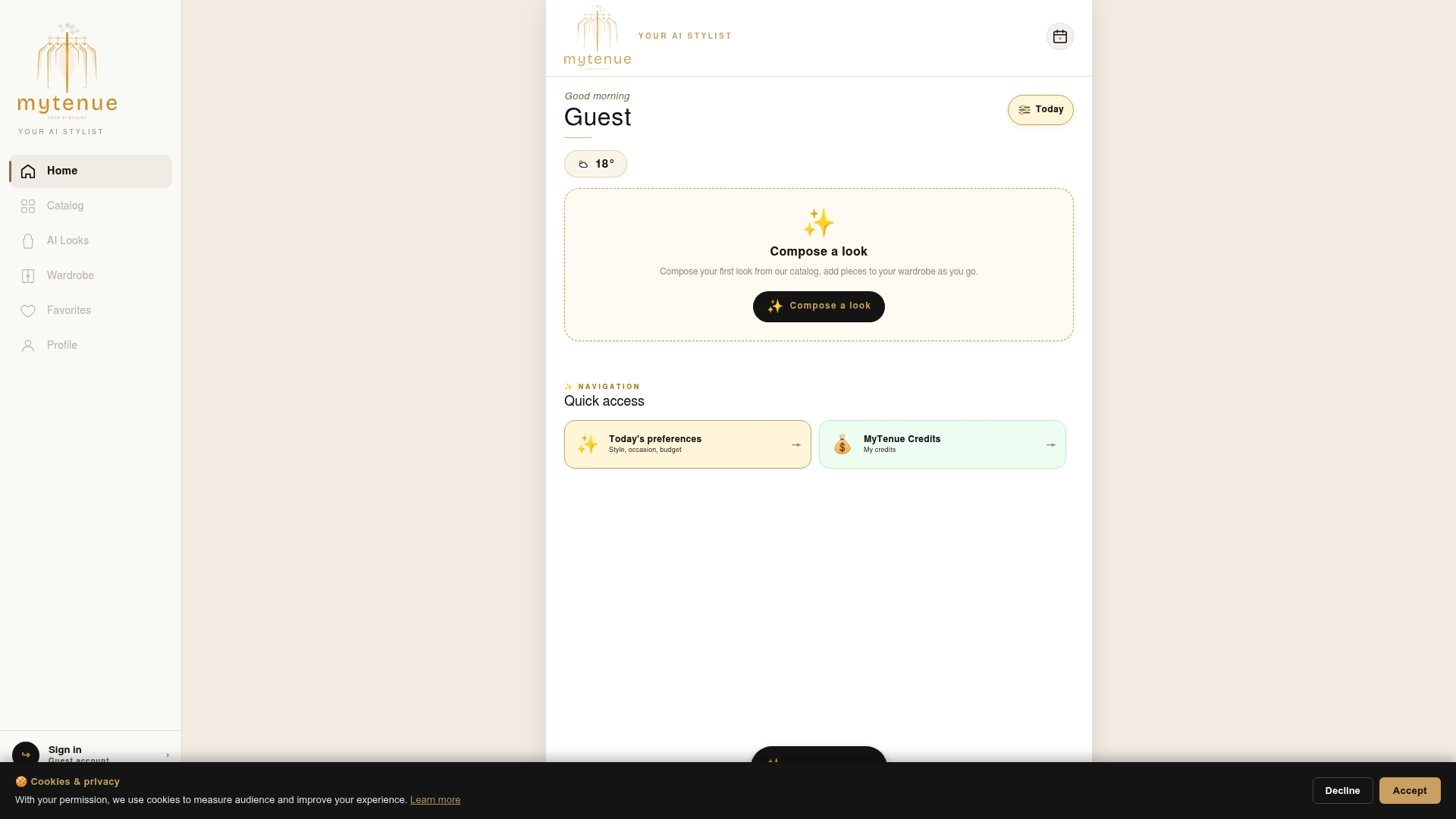
The app has a free version, then Basic at €5.99 per month, Premium at €9.99 per month and Gold at €16.99 per month. See the plans and download the app, or discover the Mytenue home page.
From avatar to everyday outfits
An avatar pays off in routine, not in a one-off demo. Here is how to make it useful week after week.
Plan the week in ten minutes
On Sunday evening, open your calendar. Note the meetings, the school run, the dinner. Build a look for each, on your mannequin. Swap shoes, test a layer. Save them. On Monday morning, the decision is already made.
Build capsules, not piles
Pick a small color palette: two neutrals and one accent. Create four looks from six pieces. Check each on the avatar. If a piece appears in no look, you have your answer on what not to buy or what to pass on.
Shop with a filter
Before buying anything, try it with your existing pieces. Ask three questions: does it pair with at least three things I own, does it suit the occasion I need, does it fit my budget? If the answer is yes three times, it is a smart purchase. Our piece on how AI curates complete looks and the explainer on clothes and your figure go further. If the vocabulary is new, see what virtual outfit coordination means and the real role of virtual fitting rooms.
Common mistakes to avoid
- Rushing the photo. A tilted phone distorts proportions.
- Wearing baggy clothes during capture. Fitted pieces give the system a clearer body outline.
- Treating the preview as a size guarantee. Always check the size chart.
- Uploading more than needed. Share only what the feature requires.
- Never updating. Refresh your avatar after a big change.
FAQ
Can I create a fashion avatar for free?
Yes, many apps let you start without paying, and Mytenue has a free version. Paid tiers add more features. Check the plans on the app page for what each includes.
Do I need a scan, or is a photo enough?
A photo or a set of measurements is enough for styling and outfit planning. A multi-angle scan captures more precise shape, which matters more for tailoring than for everyday looks. Start simple and refine if you want.
Is a 3D avatar accurate for sizing?
It is a good guide to proportion and style, but the result stays an estimate. Photo-based methods rely on approximations of body geometry, so always compare with the brand's size chart before buying.
Is it safe to upload my photos and measurements?
In France, these are personal data protected by the GDPR. Check the stated purpose, make sure you can delete your data, and share only what the feature needs. The CNIL publishes guidance on AI and personal data.
Do I need to redo my avatar often?
No. Create it once and reuse it for every outfit. Update it when your measurements change noticeably, for example after a major weight change, pregnancy or a new fitness routine.
Sources
- France Num: setting up size assistance and virtual try-on
- Review on three-dimensional clothing modelling and digital try-on
- EuroShop: virtual try-on in retail
- Deep Learning in Virtual Try-On: A Comprehensive Survey
- CORDIS: eTryOn project
- TerzyApp: measurements by iPhone
- Sculptée Paris: 3D scan
- CNIL: AI regulation questions and answers
- CNIL executive committee decision on biometric data