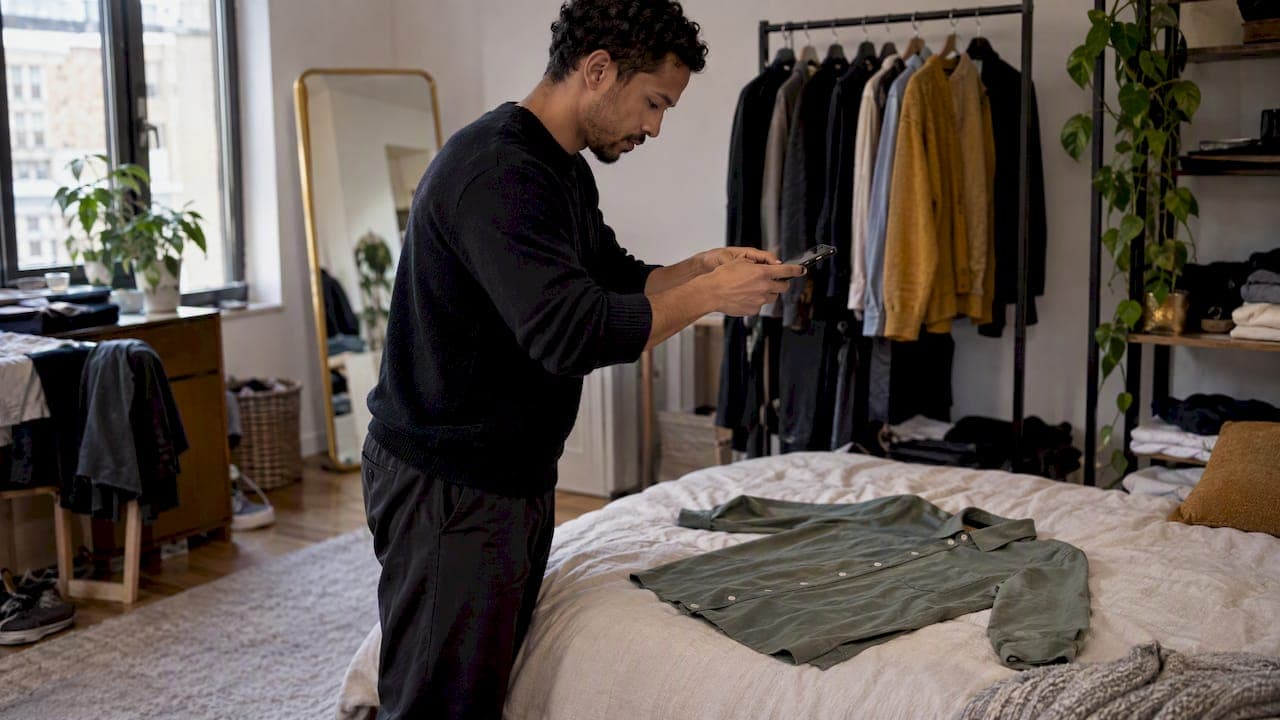
Digitizing your wardrobe means photographing every piece you own, tagging it, and storing it in one app so you can build outfits on screen. Start small: 10 to 15 items you wear most, shot on a neutral background in daylight. Add details like category, color and season. Build from there. Most people finish a first useful batch in one or two hours.
That's the whole idea. Short, simple, doable. Below, the full method: how to choose a system, how to shoot clean photos, which details to record, and how to turn your digital closet into outfits you actually wear.
TL;DR
- Pick one system (an app or a simple album) and stick with it. Don't split your closet across tools.
- Start with 10 to 15 favorite pieces, not the whole closet. Expand in batches.
- Shoot in natural light, front view on a neutral background, and photograph labels and flaws.
- Record category, color, season, occasion and size. Skip anything you won't search by.
- Use the catalog to build outfits, spot gaps and stop buying duplicates.
Table of Contents
- What a digital wardrobe is and why it helps
- Choose your system before you take a single photo
- Start small: the 10 to 15 item rule
- Declutter or digitize first?
- How to photograph your clothes
- Which details to record
- Turn your catalog into outfits
- Keep it alive: a 5-minute maintenance routine
- Common mistakes to avoid
- Our perspective: digitize to wear more, not to own more
- Try it with Mytenue
- FAQ
- Sources
What a digital wardrobe is and why it helps
A digital wardrobe is a visual inventory of your clothes. Each piece has a photo and a few tags. You browse it on your phone instead of digging through shelves.
Why bother? Because most of us own far more than we wear. ADEME, the French agency for ecological transition, says people in France have 175 garments on average in their closets and wear less than half of them. The same agency reports that over 50% of clothes sit unused in wardrobes, with a dormant national stock estimated at 120 million garments.
A digital closet attacks that gap directly:
- You see everything at once. Forgotten pieces resurface.
- You decide faster. Browse, combine, choose. No pile of clothes on the bed.
- You buy smarter. ADEME's advice before any purchase is to check whether you already own the item. Your phone answers that in seconds, even in a store.
- You plan ahead. Outfits for the week, a trip or a work event, built the night before.
It also fits a broader idea ADEME calls responsible consumption: buy less but better, extend the life of what you own, and check for a similar item before buying. A digital wardrobe is a practical tool for exactly that.
Choose your system before you take a single photo
The biggest mistake is starting without a plan. You photograph 40 items in a camera roll, then never open it again. Choose the system first.
There are three main types:
| System | Best for | Limits |
|---|---|---|
| Phone photo album | Quick start, no app to learn | No tags, no outfit building, hard to search |
| Spreadsheet or notes app with photos | People who like control and data | Manual upkeep, slow to build outfits |
| Dedicated wardrobe app | Daily use, outfit building, planning | You need to learn the app's logic |
An album is fine to test the habit. If your goal is outfits, though, you want an app that can tag items, combine them and show them together. That's where AI helps most: it reads color, style and occasion, and suggests pairings you wouldn't have tried.
Three questions to settle the choice:
- Will you use it daily? If yes, pick an app with weather and calendar features.
- Do you want outfit suggestions or only storage? Suggestions need tagged, clean data.
- Do you shop often? Then pick a tool that shows what you own while you browse.
One rule above all: one system only. Two half-filled catalogs are worse than one small, complete one.
Start small: the 10 to 15 item rule
Don't catalog 175 garments in a weekend. You'll burn out by item 30.
Begin with the pieces you reach for most. Jeans. A blazer. Your best white shirt. Two or three pairs of shoes. A coat. That's your core.
Why 10 to 15?
- It takes one to two hours. See our walkthrough on how to scan 10 to 15 items in 1 to 2 hours.
- It's enough for an app to start suggesting real outfits.
- You see results fast, which keeps you going.
After that, add a batch each week: one category at a time. Tops on Monday, trousers on Wednesday, shoes on Saturday. In a few weeks, the whole closet is in. If you'd rather aim for outcomes, digitizing 8 to 12 closet pieces is often enough to see the first AI outfit ideas that actually fit your taste.
Declutter or digitize first?
Both. But they do different jobs.
Decluttering removes what you no longer wear, from the physical closet. Digitizing records what you keep, so you can use it better.
My suggestion: digitize first, then declutter with data.
Why? Because while you shoot, you notice things. The jacket that doesn't fit. The three near-identical black tops. The shirt you have never combined with anything. A digital view makes those patterns obvious. Then decluttering becomes easy: you remove with evidence, not guilt.
When you do clear things out, ADEME's guidance is clear on the order: keep clothes longer, repair them, limit impulse purchases, and when they're no longer wearable, donate, resell or drop them in a dedicated collection container. Don't bin them.
A simple split:
| Situation | Do this |
|---|---|
| You wear it and like it | Digitize it |
| You like it but it needs repair | Repair, then digitize |
| You haven't worn it in a year and don't miss it | Donate or resell |
| You're unsure | Digitize it, then check in a month whether you used it |
Want a deeper audit? Our guide to capsule wardrobe planning walks through a two-hour review.
How to photograph your clothes
Photo quality decides how useful your catalog is. Blurry, dark or cluttered shots make tagging harder and AI tools less accurate.
Resale platforms have solved this problem well, because they need clear photos to sell. Their guidance transfers directly. Vestiaire Collective's help center says to shoot in natural light, with at least one full front view on a neutral background, then add other angles, close-ups of key details, and any flaws. For garments, it also suggests photographing brand, composition and size labels. Vinted's help page likewise recommends daylight, no flash and no filters, showing the item from several angles, with details and defects.
Turn that into a routine:
- Find light. A window, daytime, no flash. Avoid yellow bulbs.
- Pick a plain backdrop. A white wall, a bedsheet, a clean floor.
- Lay it flat or hang it. Smooth wrinkles first. A 30-second steam pays off.
- Shoot the front, whole piece. Keep edges inside the frame.
- Add angles. Back, side, a close-up of texture or print.
- Photograph labels. Size and composition save you from guessing later.
- Note flaws. A missing button, a faded cuff. Future you will thank you.
For AI try-on, we recommend four angles per item and keeping photos private. Our guide on how to photograph clothes for an AI try-on app covers the details.
Some pieces need extra care. Bold prints and slogan tees look different flat versus worn, so shoot both. For ideas on what to do with them afterwards, see these ways to style a graphic tee.
Batch shooting saves time
Don't photograph item by item with a different setup each time. Pull ten pieces, set up your spot once, and shoot them in a row. Change nothing between shots. Consistent light and background make the whole catalog look clean, and tagging goes faster too.
Which details to record
Tags are what make a catalog searchable. But too many tags kill the habit. Record only what you'd actually filter by.
Essential:
- Category (top, trousers, dress, shoes, outerwear, accessory)
- Main color
- Season
- Occasion (work, casual, evening, sport)
- Size
Useful:
- Brand
- Fabric or composition (wool, cotton, linen, polyester)
- Care notes (hand wash, dry clean only)
- Fit (loose, slim, oversized)
Optional:
- Purchase price and date
- Number of times worn
- Notes on what it pairs well with
With an AI-powered app, much of this is automatic. It analyzes color, fabric, style and occasion compatibility from your photos, so you confirm instead of typing. You'll still correct a few mistakes. A cream shirt tagged as white? Fix it once. Done.
Purchase price is the sleeper tag. When you add it, you can later see cost per wear, and the dust-collecting expensive coat suddenly stands out.
Turn your catalog into outfits
A catalog is storage. Outfits are the payoff.
Three ways to start:
- Anchor pieces. Pick one item (say, wide-leg trousers) and build three outfits around it. Save the ones you like.
- Occasion folders. Make sets for work, weekends, dinners, travel. Reuse them.
- Weather-based picks. Check the forecast, then choose from items tagged for that season.
Two features make this far easier:
Flat-lay images. These show your outfit laid out like a magazine page: shirt, trousers, shoes, bag. You see proportions and color balance in one glance, without putting anything on.

Virtual try-on. You see the outfit on an avatar. That's useful for testing a combination before you commit, especially for pieces you rarely wear together.
For a practical set of ideas, get more outfits from the closet you already have shows how to remix without buying anything. And if you want to understand how to plan around daily looks, our guide to the best OOTD app for everyday style is a good next read.
Keep it alive: a 5-minute maintenance routine
A digital closet dies the day you stop updating it. Keep the routine tiny.
- New purchase: photograph it the day it arrives. Tag it. Two minutes.
- Item leaves: delete it when you donate or sell it. One minute.
- Weekly: plan three outfits on Sunday evening, using the calendar.
- Each season: scroll your catalog. Flag items you never wore. Decide: keep, repair or let go.
Before any purchase, search your catalog first. If you already own something close, skip it. That one habit does most of the work ADEME recommends: check what you own before you buy.
Use the gaps, too. Once your closet is digital, missing pieces show up clearly: no neutral shoes, no mid-weight jacket. Our wardrobe gap analysis explains how to test two or three outfits before buying anything new.
Common mistakes to avoid
- Cataloging everything at once. You'll quit. Batch it.
- Inconsistent photos. Different light, different backgrounds, messy catalog.
- Over-tagging. If you won't filter by it, don't record it.
- Never building outfits. A catalog without outfits is a very tidy photo album.
- Forgetting to update. Add and remove as you go.
- Skipping accessories. Belts, scarves and bags often make an outfit. Include them.
Our perspective: digitize to wear more, not to own more
We built Mytenue around one belief: the best outfit is often already in your closet. You just can't see it.
So we don't see digitizing as a chore or a gadget. It's a way to look at your own clothes with fresh eyes. Photograph a piece, and the app reads its color, fabric, style and occasion. Combine it with others, and AI scores the look. Check the weather, and you get a suggestion that fits the day.
Our advice is always the same. Start with a small batch. Don't chase perfection. Get to your first three outfits fast, because that's the moment the habit sticks. Then grow the catalog at your own pace.
We also think technology should push you toward buying less, not more. A good digital wardrobe tells you what you already have, what's missing and what you can safely skip. When a new piece does make sense, you'll know exactly what it needs to match.
— Ahmed
Try it with Mytenue
Ready to digitize? Mytenue is your AI stylist, on iOS and Android and on the web. Photograph your pieces, let the app tag them, then get outfit ideas from your own wardrobe, with virtual try-on on your personal avatar and editorial flat-lay images.
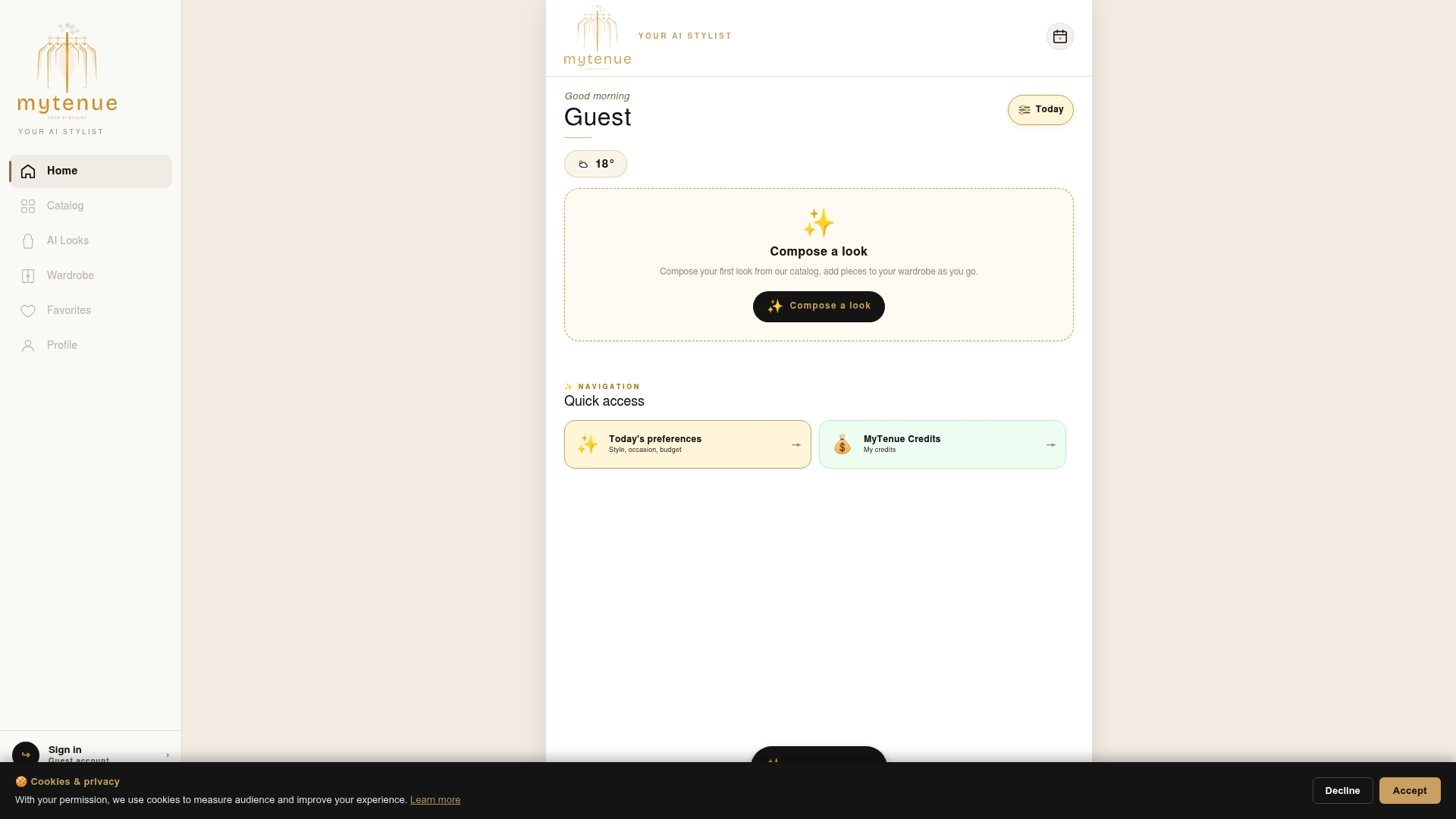
There's a free version to start. Paid plans, as published on our site: Basic at €5.99 per month, Premium at €9.99 per month and Gold at €16.99 per month. See the plans and download the app, then follow our guide to organize your wardrobe and get AI outfits in 14 days. The interface is available in French and English.
FAQ
How long does it take to digitize a wardrobe?
A first batch of 10 to 15 items takes about one to two hours. A full closet takes a few weeks if you add one category at a time. Shooting in batches with one setup speeds things up considerably.
Do I need to photograph every single item?
No. Start with what you wear most and add the rest gradually. Pieces you haven't worn in a year are good candidates for the declutter pile instead. Digitize what you keep.
What's the best background for clothing photos?
A plain, neutral background in natural light. Resale platforms such as Vestiaire Collective and Vinted both advise daylight and clear, unfiltered shots, with several angles and close-ups of details.
Should I declutter before or after digitizing?
Digitize first, then declutter with the catalog in hand. Duplicates, unworn pieces and gaps become obvious. For clothes you let go of, ADEME recommends donating, reselling or using a collection container rather than throwing them away.
Can a digital closet really help me buy less?
Yes, if you check it before every purchase. Seeing what you own helps you avoid duplicates and rediscover forgotten items, which is exactly what ADEME advises before buying.
Sources
- ADEME: Quels sont les enjeux d'une mode plus durable ?
- ADEME: Shopping compulsif, les faits et les chiffres
- ADEME: Passer de l'ultra-conso à la consommation responsable
- ADEME: Que faire de ses vêtements usagés ?
- Vestiaire Collective: comment prendre d'impeccables photos
- Vinted: Quelles photos mettre en ligne